
May 11, 2026 · 16 min read
Top Contactless Menu App Features to Look For
Choose a contactless menu app with no downloads, fast mobile pages, live edits, translation, QR reliability, and the right ordering fit.
iMango Team
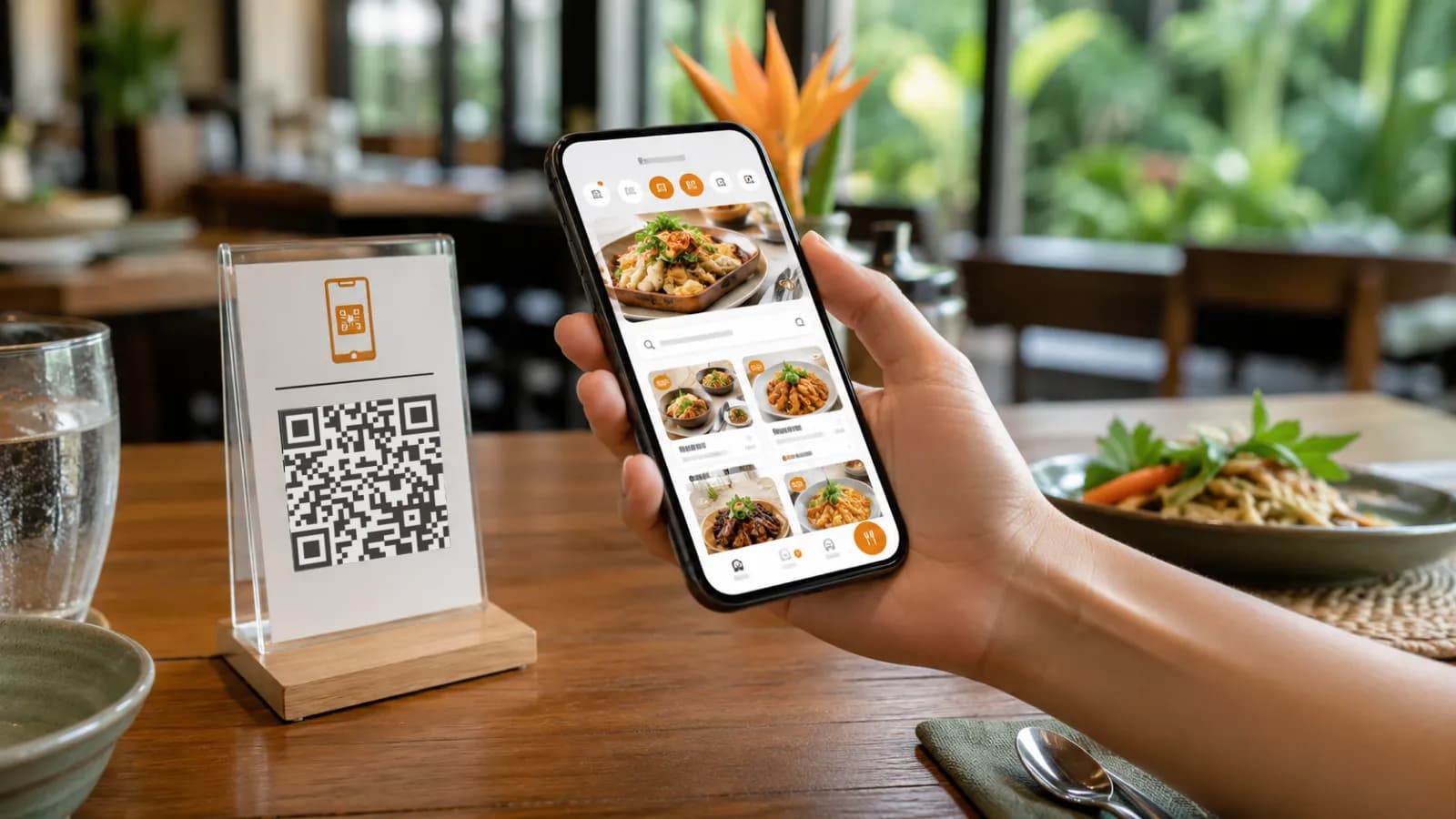
Short answer: the best contactless menu app should open instantly in a mobile browser, require no download, keep the same QR code after menu edits, support live price and availability changes, handle multiple languages, and fit your restaurant's service model. For many restaurants, that means a fast view-only digital menu. For others, it may mean a full order-and-pay system connected to the POS.
The mistake is choosing a platform because it has the longest feature list. A contactless menu app touches the first decision a guest makes at the table: what to order. If the menu is slow, hard to read, or locked behind an app download, the technology creates friction instead of removing it.
A good contactless menu app should feel almost invisible. Guests scan, browse, understand the menu, and decide. Staff should not have to explain the technology before they can explain the food.
Why contactless menu apps still matter in 2026
Contactless menus became popular during the pandemic, but hygiene is no longer the only reason restaurants keep them. In 2026, the stronger business case is operational control.
The National Restaurant Association's 2026 State of the Restaurant Industry describes a market where operators still face cost pressure and are investing in technology that improves efficiency, digital ordering, data analytics, and guest connections. A menu app is a small part of that stack, but it sits at the most visible point in the guest journey.
Food costs change. Dishes sell out. Photos need updating. Tourist demand shifts by season. Staff do not have time to translate every dish at every table. A printed menu can still be useful, but it cannot keep up as the only source of truth.
A contactless menu app helps when it solves real restaurant problems:
- guests can read the menu without waiting for a server;
- prices and availability can be updated before service;
- sold-out items can be hidden quickly;
- tourists can switch language without a long conversation;
- item photos and dietary notes reduce uncertainty;
- QR codes on tables, windows, hotel partners, and social profiles can point to one stable public menu.
That is the real value. Not the QR code itself. The living menu behind it.
Safety, hygiene, and convenience benefits
Contactless menus still have hygiene benefits. Fewer shared paper or laminated menus means fewer objects passed between tables. For high-traffic cafes, bars, food courts, hotel restaurants, and tourist venues, that remains useful.
But restaurants should not oversell hygiene. Guests now judge contactless menus by convenience. If scanning the QR code saves time, shows better photos, provides translations, and loads faster than waiting for a printed menu, guests usually accept it. If the QR code leads to a PDF that requires zooming, the restaurant has only moved the inconvenience onto the guest's phone.
A good contactless menu app improves convenience in four simple ways:
| Guest need | What the app should do |
|---|---|
| Open the menu quickly | Load in the browser after scanning a QR code |
| Read without effort | Use mobile-first text, categories, and item pages |
| Understand unfamiliar dishes | Show photos, ingredients, spice levels, and dietary notes |
| Choose in their language | Offer language switching or localized menu versions |
The practical test is simple: a first-time guest should be able to scan the code, find a dish, understand the price, and decide without asking how the menu works.
The no-download requirement is non-negotiable
For a restaurant menu, "no app download" should be treated as a core requirement, not a nice extra.
Guests are not choosing a bank, airline, or delivery marketplace. They are sitting at a table and trying to order lunch. Asking them to install an app creates unnecessary friction:
- app store redirects interrupt the meal;
- weak mobile signal makes downloads slow;
- tourists may have limited data or region restrictions;
- guests may not want another account or notification permission;
- older guests may stop before they ever see the menu.
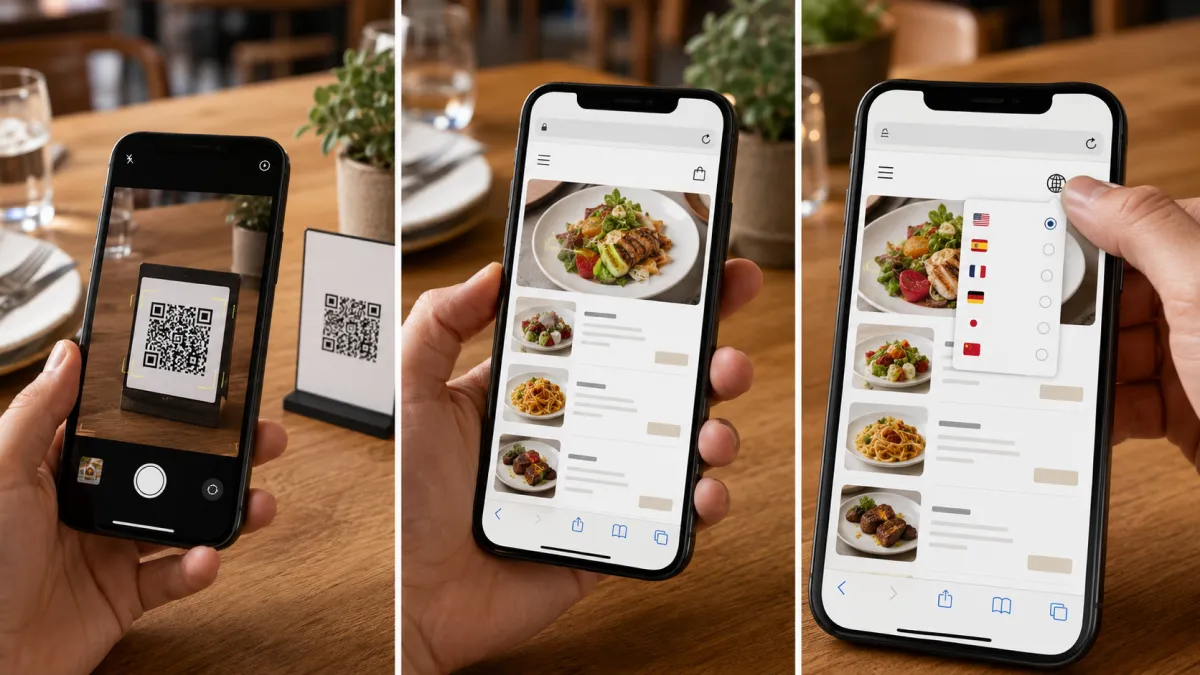
A strong contactless menu app behaves like a website. The guest scans a QR code with the camera, opens the menu in Safari, Chrome, LINE, or another mobile browser, and starts reading. No account. No app store. No onboarding screen.
This is not just a guest-experience preference. It also protects conversion. Every extra step between "scan" and "menu visible" is a place where the guest can drop off, ask staff for help, or fall back to the same old paper-menu workflow.
When you evaluate a contactless menu app, ask these questions:
- Does the menu open in a normal mobile browser?
- Can a guest use it without creating an account?
- Does it work on iPhone and Android camera scanning?
- Does it still work when opened inside LINE, Instagram, or Google Maps browsers?
- Can the restaurant keep using the same QR code after menu updates?
If the answer to any of these is unclear, test it before printing table cards.
Speed, performance, and mobile optimization
Speed matters more than most menu vendors admit. A guest may tolerate a slow website at home. At the table, a slow menu feels like bad service.
Google's Core Web Vitals guidance gives useful performance thresholds: a good Largest Contentful Paint is 2.5 seconds or less, a good Interaction to Next Paint is 200 milliseconds or less, and a good Cumulative Layout Shift score is 0.1 or less. Restaurant owners do not need to memorize those terms, but they should understand the point: the menu should show useful content fast, respond quickly to taps, and avoid layout jumps.
For a contactless menu app, mobile optimization means:
- the first screen loads quickly on cellular data;
- categories and item names are readable without zooming;
- buttons and filters are easy to tap with one thumb;
- images are optimized, not full-size uploads from a phone camera;
- prices stay close to item names;
- language switches do not reload the whole page slowly;
- the cart, if ordering is enabled, does not hide key item details;
- the page works in common in-app browsers, not only desktop Chrome.
Thailand is a good example of why mobile performance matters. DataReportal's Digital 2026 Thailand report estimated 67.8 million internet users in Thailand at the end of 2025, with 94.7% internet penetration. It also reported 96.6 million cellular mobile connections, more connections than people. Guests are ready to use phones, but they still expect the page to work immediately.
The best performance test is not technical. Print a test QR code, sit at a real table, turn off Wi-Fi, scan with an average phone, and time how long it takes to find a popular dish.
Language translation and editing capabilities
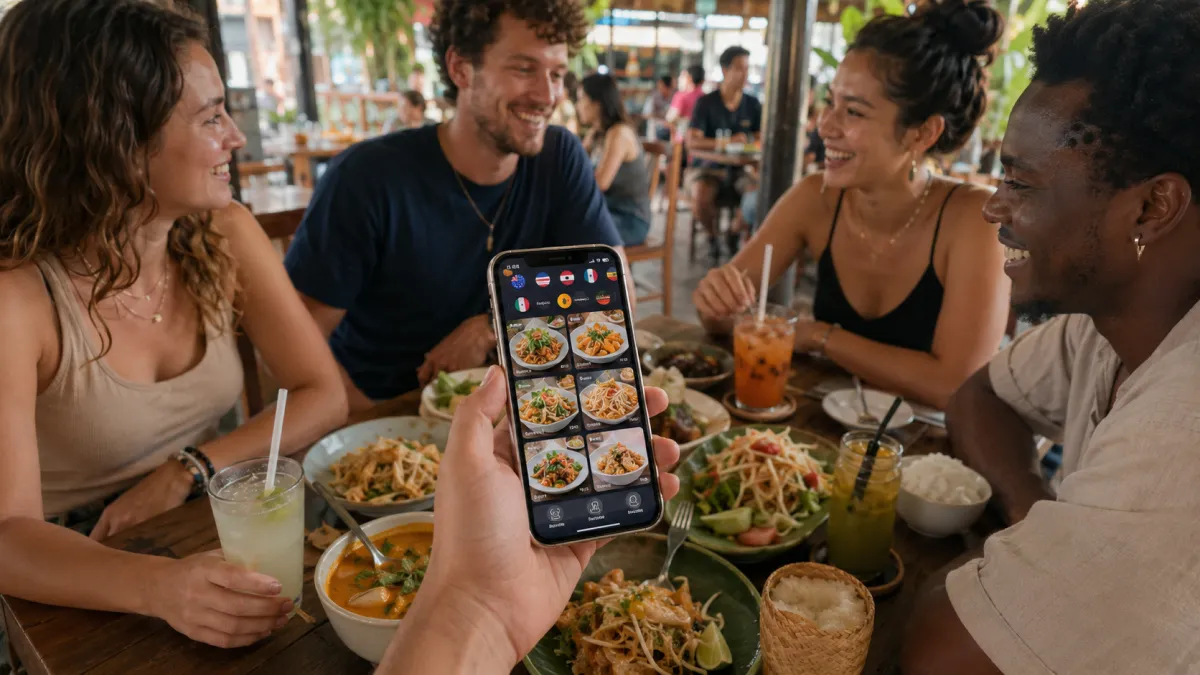
For tourist-heavy restaurants, multilingual support is not decoration. It is a sales feature.
An April 2026 TAT Newsroom update reported 9.31 million international arrivals in Thailand in Q1 2026, with China, Malaysia, Russia, India, and South Korea as the top source markets. TAT also recalibrated its full-year outlook to approximately 30-34 million international arrivals. Restaurants in Bangkok, Phuket, Chiang Mai, Pattaya, Koh Samui, and hotel zones are not serving one language market. They are serving rotating groups of Thai, English, Chinese, Russian, Korean, Japanese, Arabic, German, French, and other speakers.
A contactless menu app should make that practical, not painful.
Look for multilingual features that cover the whole menu structure:
- category names;
- item names;
- descriptions;
- option groups, such as size, topping, spice level, doneness, sweetness, or milk type;
- allergen and dietary notes;
- sold-out labels;
- staff-facing edit workflow;
- image alt text if the content will be published as a blog or web page.
Translation also needs an editing layer. Automatic translation is useful, but restaurant language is full of details that deserve review: regional dish names, seafood terms, spice notes, brand names, and ingredients that affect allergies. A good app lets the owner or manager correct translations without waiting for a developer.
For iMango, this is where the product story is strongest: the restaurant owner can maintain a mobile-first, multilingual menu from a no-code workspace, then publish updates to the public QR menu quickly. That is much more useful than a QR code that only points to a static PDF. If table ordering is on your checklist, see how a QR ordering system layers onto the menu.
Live editing, availability, and menu hygiene
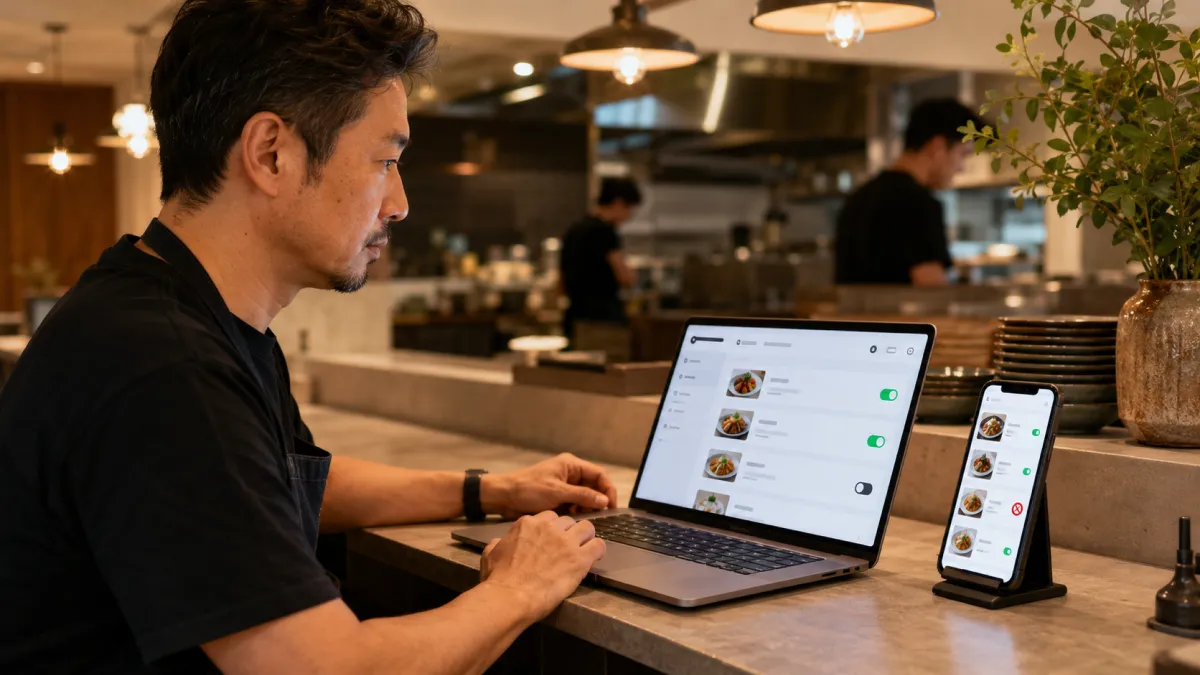
The ability to edit the menu quickly is one of the most important features in any contactless menu app.
At minimum, the restaurant should be able to:
- change a price;
- hide a sold-out item;
- add a daily special;
- reorder categories;
- update a photo;
- correct a typo;
- adjust translations;
- preview the public menu before or immediately after publishing.
This sounds basic, but many QR setups fail here. A static QR code that points to a PDF may still require exporting a new PDF, uploading it somewhere, checking the URL, and hoping the old file is not cached. That is too much work for a busy service day.
The best menu apps make menu hygiene a habit. After service, the manager checks what changed, updates the menu, and the same QR codes keep working the next day.
Ordering and payment: useful, but not always required
Some restaurants need a full contactless ordering app. Others do not.
This distinction matters because order-and-pay systems are more complex than view-only menus. They may involve POS integration, kitchen printers, payment setup, tax rules, refunds, tips, table mapping, staff training, and customer support. Those features can be valuable, but they can also be overkill.
If you are not sure which side you are on, use the QR menu vs QR ordering comparison before choosing an app category.
Use this practical split:
| Restaurant need | Better fit |
|---|---|
| Guests only need to view the menu | View-only contactless menu app |
| Staff still take orders at the table | View-only menu with strong translations and item details |
| Counter-service guests order from the table or queue | QR ordering with payment may help |
| Busy bar or food hall wants repeat rounds and group tabs | Full order-and-pay platform |
| Restaurant already runs Toast, Square, or Lightspeed deeply | POS-integrated QR ordering may fit |
| Tourist restaurant wants fast setup without POS complexity | No-code multilingual QR menu |
Do not buy a complicated ordering workflow just because it looks modern. Buy it when it matches how the restaurant wants service to work.
For a small restaurant considering standalone ordering, the QR table ordering without a POS guide shows the operating procedure: who watches orders, how additions reach the kitchen, and how staff reconcile the bill with the existing till.
Feature checklist for choosing a contactless menu app
Use this checklist before comparing prices.
| Feature | Why it matters | Must-have or optional? |
|---|---|---|
| No-download browser access | Guests can scan and read immediately | Must-have |
| Dynamic QR code or stable public URL | Printed codes keep working after edits | Must-have |
| Mobile-first layout | Avoids PDF zooming and tiny text | Must-have |
| Fast loading on cellular | Protects the table experience | Must-have |
| Live price and availability edits | Keeps the menu accurate during service | Must-have |
| Multilingual menu support | Essential for tourist and international guests | Must-have for tourist venues |
| Translation editing | Prevents awkward or unsafe menu wording | Must-have for multilingual menus |
| Photos per item | Helps guests choose unfamiliar dishes | Strongly recommended |
| Allergen and dietary notes | Builds trust and reduces staff explanation load | Strongly recommended |
| Option groups | Supports sizes, add-ons, spice levels, and modifiers | Depends on menu complexity |
| QR code customization | Keeps table signage on brand | Useful |
| Table-specific QR codes | Useful for ordering and analytics | Optional for view-only menus |
| Simple analytics | Shows scans, language demand, and popular sections | Useful |
| POS integration | Sends orders and payments into operations | Optional |
| Staff roles and permissions | Helps multi-person teams edit safely | Useful for larger teams |
| Paper fallback support | Keeps service accessible and hospitable | Strongly recommended |
The shortest version: choose the app that makes the menu easier for guests and easier for staff. If it only makes the software vendor look impressive, skip it.
The top contactless menu apps leading the market
There is no single best contactless menu app for every restaurant. The market is split into several categories, and each category solves a different problem.
Toast Mobile Order & Pay
Toast Mobile Order & Pay is built for restaurants already using Toast and wanting guests to scan, browse, order, and pay from their phones. Toast also supports features like group ordering, menu visibility settings, and guest-friendly menu configuration.
Best for: restaurants that already run Toast and want QR ordering and payment tied into the POS.
Not ideal for: restaurants that only need a simple view-only menu or do not want POS workflow changes.
Square QR code ordering
Square QR code ordering maps QR codes to tables, walk-up windows, parking spots, or other locations. Guests can browse, order, add notes, pay, and send orders into Square-connected operations.
Best for: restaurants, cafes, food trucks, and quick-service venues already using Square.
Not ideal for: restaurants that do not want guests ordering or paying from the table.
Lightspeed Order Anywhere
Lightspeed Order Anywhere is a mobile-friendly ordering platform integrated with Lightspeed Restaurant POS. It supports pickup, dine-in ordering, and menu browsing from a guest's own device, depending on setup and location availability.
Best for: restaurants using Lightspeed that want an integrated online and table-ordering flow.
Not ideal for: restaurants outside supported markets or venues that need only a lightweight menu.
me&u
me&u positions itself as a high-volume order-and-pay platform with AI personalization, group tabs, flexible payments, language translations, dietary and allergen features, POS syncing, and guest insights.
Best for: busy pubs, bars, food halls, multi-site groups, and venues that want ordering, payments, upsells, and guest data as one system.
Not ideal for: small independent restaurants that mainly need a clean multilingual menu without enterprise-level workflow.
Menutech
Menutech focuses on digital menu publishing with real-time updates, multilingual menus, allergen support, diet filters, accessible font sizing, and QR or share links.
Best for: restaurants, hotels, and hospitality teams that care deeply about menu structure, allergens, and multilingual publishing.
Not ideal for: teams that need a local, low-complexity setup with restaurant-owner-first editing in their market.
MENU TIGER
MENU TIGER offers QR menus with real-time item and price updates, sold-out controls, custom QR design, scan analytics, multi-language support, and ordering or payment integrations.
Best for: restaurants that want a QR-first menu platform with ordering options and analytics.
Not ideal for: teams that want the simplest possible view-only workflow and do not need extra engagement features.
iMango
iMango is best positioned for independent restaurants that want a fast, no-code, multilingual contactless menu app without turning the dining room into a complicated ordering project. The sweet spot is a restaurant that wants guests to scan, read, switch language, understand dishes, and see current menu information immediately.
Best for: tourist-heavy restaurants, cafes, bars, and small hospitality teams that need a mobile-first QR menu, simple editing, and multilingual content.
Not ideal for: restaurants that already need a deeply integrated POS order-and-pay system with kitchen routing and payment reconciliation.
How to choose the right app for your restaurant
Start with the service model, not the software category.
If you run a tourist-heavy restaurant
Prioritize:
- no-download browser access;
- Thai and English at minimum;
- language expansion based on actual guests;
- photos for local dishes;
- spice, allergen, and dietary notes;
- quick editing by the owner or manager;
- a paper fallback for guests who prefer it.
This is where a simple multilingual menu app often beats a full ordering platform. The guest problem is understanding the menu, not necessarily placing the order without staff.
If you run a busy bar or pub
Prioritize:
- table-specific QR codes;
- repeat ordering;
- group tabs;
- card pre-authorization if appropriate;
- tips;
- printer or KDS reliability;
- staff controls for busy periods.
Here, order-and-pay can be valuable because guests often want another round faster than staff can reach every table.
If you run a quick-service cafe
Prioritize:
- speed;
- clear categories;
- add-ons and modifiers;
- takeout or pickup flow;
- mobile payments;
- simple handoff to staff.
Square, Toast, or similar POS-connected flows may make sense if they already match the existing operation.
If you run a small independent restaurant
Prioritize:
- setup in minutes, not weeks;
- easy owner editing;
- stable public URL;
- attractive mobile menu;
- basic analytics;
- translations if tourists visit;
- low monthly cost;
- no workflow your staff will ignore.
The right app is the one the team actually uses after the first week.
Once you know the features you need, compare the free and paid QR menu capacity worksheets. They turn restaurant, menu, item, table and language counts into a plan choice, with one-time, monthly and yearly cost examples.
A five-step rollout that avoids guest frustration
Do not launch a contactless menu app by printing 80 QR cards and hoping for the best. Use a controlled rollout.
1. Build the menu cleanly
Remove dead items, simplify categories, and write short descriptions. Digitizing a messy menu makes the mess more visible.
2. Test on real phones
Scan with iPhone and Android. Test on cellular data. Open the menu inside LINE, Instagram, Google Maps, Safari, and Chrome if those channels matter to your guests.
3. Train staff with one sentence
Use a calm script:
"The full menu with photos and translations is on the QR code, and we also have a paper menu if you prefer."
That sentence tells guests why scanning is useful and keeps the experience hospitable.
4. Keep the first version simple
Launch with menu viewing first. Add ordering, payment, loyalty, or feedback later if the operation truly needs them.
5. Review the menu weekly
Check sold-out items, confusing translations, missing photos, and scan behavior. The best contactless menu app becomes part of menu management, not a one-time setup task.
Final recommendation
If you are choosing a contactless menu app in 2026, do not start with the biggest platform name. Start with the guest experience you want.
For most independent restaurants, the winning checklist is simple:
- no app download;
- fast mobile browser access;
- stable QR code;
- easy live editing;
- multilingual content;
- item photos and clear descriptions;
- allergen and dietary notes where needed;
- optional paper fallback;
- no unnecessary POS complexity.
Full order-and-pay platforms are powerful when the restaurant is ready for them. But a clean, fast, multilingual menu is often the higher-ROI first step.
That is the iMango philosophy: make the menu easier to open, easier to understand, and easier to keep current. The QR code is only the doorway. The menu experience is what sells.
FAQ
What is a contactless menu app?
A contactless menu app is a digital restaurant menu that guests open from a QR code or public link, usually on their own phone. The best versions work in a browser with no app download and let the restaurant update prices, availability, photos, and translations from an admin workspace.
Do guests need to download an app for a QR menu?
They should not have to. A restaurant QR menu should open in Safari, Chrome, LINE, Instagram, or another mobile browser. Requiring an app download creates friction and can reduce adoption, especially for tourists or guests with limited mobile data.
What features matter most in a contactless menu app?
The most important features are no-download access, fast mobile loading, a stable QR code, live menu editing, mobile-first design, multilingual support, item photos, allergen notes, and a service model that fits the restaurant. Ordering and payment are useful only when the restaurant is ready operationally.
Is a view-only QR menu enough?
Yes, for many restaurants. If staff still take orders and payments, a view-only QR menu can solve the main problems: outdated menus, missing translations, unclear dish information, and slow updates. Full ordering can be added later if it fits the service model.
Which contactless menu app is best for tourist restaurants?
Tourist restaurants should prioritize no-download access, multilingual content, fast mobile performance, clear photos, dietary notes, and simple owner editing. A lightweight multilingual menu platform may be a better first step than a complex order-and-pay system.