
May 28, 2026 · 14 min read
QR Menu With Automatic Translation: Setup Guide
Set up a QR menu with automatic translation so tourists can read dishes, choose options, avoid allergens, and order confidently on mobile.
iMango Team
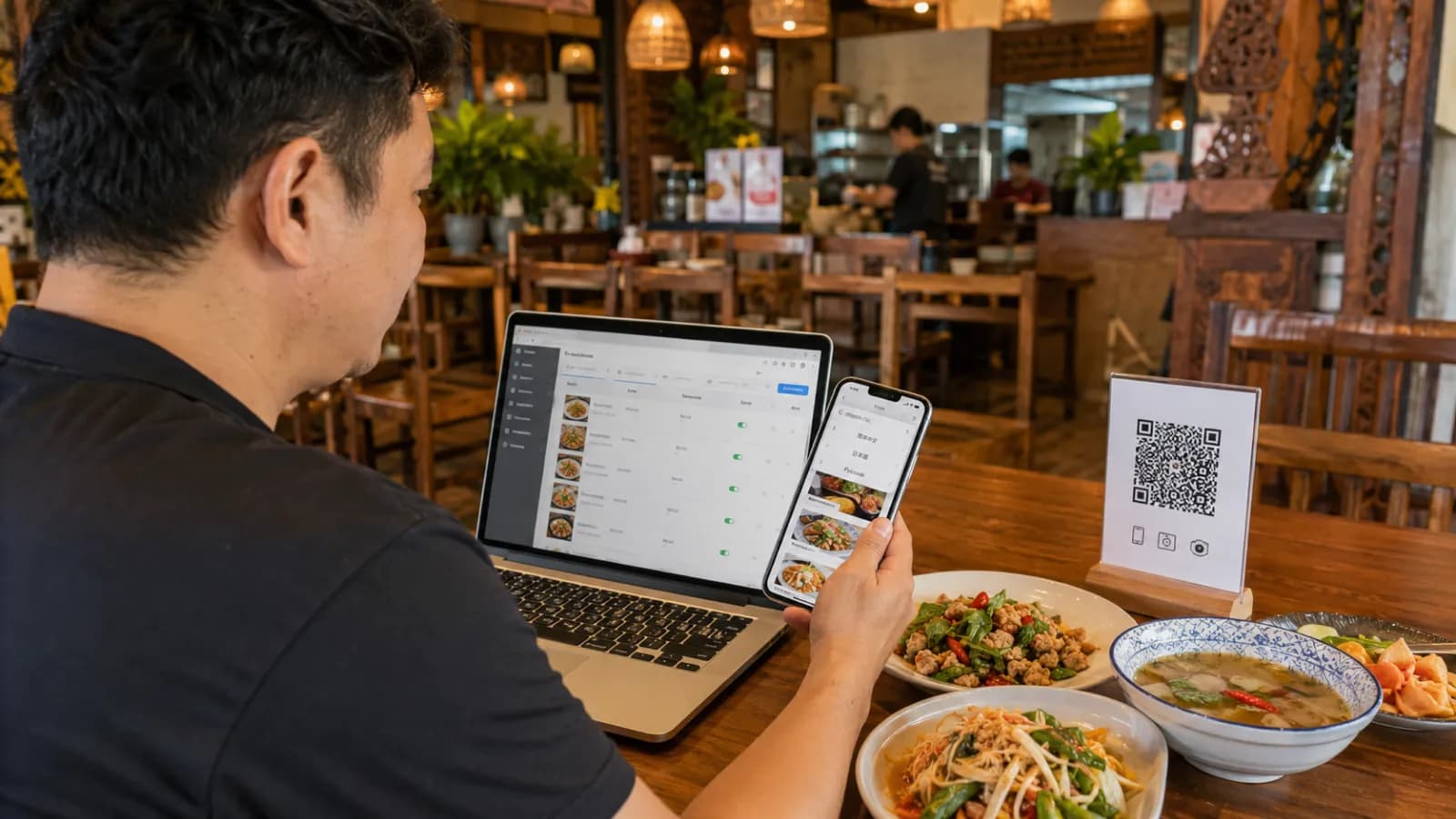
Short answer: a QR menu with automatic translation helps a restaurant publish one mobile-first menu, translate it into the languages guests need, and keep those translations connected to the live menu behind the same QR code. The best setup is not blind automation. It is a controlled workflow: build a clean base menu, generate first-pass translations, review the fields that affect trust and safety, then test the guest experience on real phones.
That distinction matters. A restaurant menu is not a travel phrasebook. Dish names, allergens, cooking methods, spice levels, portions, and options all influence what a guest is willing to order. Automatic translation can remove a lot of manual work, but the restaurant still owns the final meaning.
For tourist-heavy restaurants, the payoff is practical. A guest who can scan a QR code, switch language, understand a local dish, see a clear photo, and choose add-ons without waiting for staff translation is more likely to order with confidence. That is the real business case: fewer confused tables, fewer repeated explanations, and a menu that can serve international guests without becoming a stack of printed language versions.
Why serving international guests now needs a better menu workflow
International dining has become normal again, and Thailand is a good example of why menus need to work across languages. The Tourism Authority of Thailand reported 9.31 million international arrivals in the first quarter of 2026, led by China, Malaysia, Russia, India, and South Korea. The Ministry of Tourism and Sports later reported 11.36 million foreign arrivals from January 1 to April 26, 2026.
Those numbers are not abstract for restaurant owners in Bangkok, Phuket, Pattaya, Chiang Mai, Koh Samui, Krabi, Hat Yai, airport districts, hotel streets, beaches, and night markets. They show up as real tables with different languages, diets, assumptions, and questions.
A printed multilingual menu can help, but it becomes stale quickly:
| Printed translation problem | What happens during service |
|---|---|
| One price changes | Every translated version needs checking |
| A dish sells out | Staff still explain that it is unavailable |
| A new seasonal item appears | It may stay untranslated for weeks |
| A translation is wrong | The same mistake repeats on every table |
| A tourist language becomes more common | Reprinting becomes another project |
A QR menu with automatic translation solves the workflow problem better than a static document. The QR code stays in place. The restaurant updates the menu in one workspace. Guests open the latest version on mobile.
The QR habit is already familiar in Thailand. DataReportal's Digital 2026 Thailand report estimates 67.8 million internet users, 96.6 million mobile connections, and 94.7% internet penetration at the end of 2025. The Bank of Thailand also describes Thai QR Payment as a mobile-banking QR service that supports the move toward a less-cash society. In plain terms, many guests already understand "scan to continue." The menu just needs to reward the scan.
What "automatic translation" should mean for restaurants
In restaurant software, "automatic translation" can mean several different things:
| Translation model | What it does | Main risk |
|---|---|---|
| Auto-translate on save | Every edit instantly updates other languages | Can overwrite reviewed copy or publish errors too fast |
| One-click translation | Owner triggers translation when ready | Requires a deliberate workflow, but gives more control |
| AI import and translate | Platform extracts a paper/PDF menu and translates it | Source extraction errors can spread into every language |
| Translation memory or glossary | Preferred terms stay consistent | Needs setup and maintenance |
For iMango positioning, the safest promise is controlled assistance. The current product uses a manual Translate action in admin forms. It fills empty enabled-language fields while preserving existing manual translations. That is not "automatic on every keystroke," and that is a good thing for many restaurants: it reduces busywork without taking control away from the owner. This is exactly how AI-assisted menu translation is designed to behave.
The article can still target the focus keyword because restaurant owners search for "automatic translation" when they want less manual work. But the product story should be honest: use translation help to create a strong first draft, then review the content guests rely on.
Step 1: Choose a platform built for real restaurant menus
Do not choose a QR menu platform only because it says "AI translation" on the landing page. Many tools can translate text. Fewer are built around the way restaurants actually update menus.
Look for these capabilities:
| Feature | Why it matters |
|---|---|
| Mobile-first public menu | Guests should not pinch and zoom a PDF |
| Stable QR destination | The printed code should keep working after edits |
| Editable categories and items | Staff need to update dishes without a designer |
| Translation fields per item | Names, descriptions, options, and notes need separate control |
| Enabled language settings | Restaurants should publish only the languages they support |
| Existing translation protection | Reviewed text should not be overwritten by accident |
| Option and add-on translation | Sizes, toppings, spice levels, and milk choices affect ordering |
| Allergen and dietary fields | Safety-sensitive text needs structure and review |
| Fast loading on mobile | Tourists may be using roaming data or hotel Wi-Fi |
| Image support | Photos help guests understand unfamiliar dishes |
This is where a restaurant-specific QR menu is stronger than a generic QR generator. A generic tool may create the code, but it will not necessarily help you manage dish names, photos, sold-out status, translation fields, allergens, and guest-facing language switching.
Competitors in this market tend to promise 20, 35, 50, or even 70 languages. More languages sound impressive, but the better question is operational: can your team keep the important languages accurate?
Step 2: Clean your base menu before translating
Automatic translation is only as good as the source menu. If the base language is unclear, every translation inherits the confusion.
Before translating, clean these fields:
- Categories: Keep them short and familiar: Starters, Noodles, Seafood, Curries, Desserts, Drinks.
- Item names: Keep local names where they carry identity, but avoid internal kitchen shorthand.
- Descriptions: Explain ingredients, cooking method, portion, and spice level.
- Prices: Make sure prices are final before generating screenshots, QR signage, or translations.
- Options: Structure choices like size, protein, toppings, sweetness, milk type, and spice level.
- Allergens: Separate allergen notes from marketing copy.
- Availability: Hide sold-out items or mark limited items clearly.
Weak source text:
House special spicy salad.
Better source text:
Green papaya salad with lime, chili, fish sauce, tomato, long beans, and peanuts. Spicy by default. Ask for mild if needed.
The second version is easier to translate because it gives the translation system and the guest concrete meaning. It also helps staff because the menu answers the most common table questions before they are asked.
Step 3: Configure your base language and regional settings
Your base language is the language your team can maintain most accurately. In Thailand, that is often Thai. In an international hotel, resort, or expat-focused cafe, English may be the working base language. The right answer is not philosophical. It is operational.
Choose the base language that lets your team:
- write dish descriptions correctly;
- check ingredients with the kitchen;
- update prices quickly;
- review allergen and dietary notes;
- train staff on the same wording guests see.
Then check regional details:
| Setting | Practical recommendation |
|---|---|
| Currency | Use the currency guests pay in, such as THB for Thailand |
| Number format | Keep prices easy to scan, avoid unnecessary decimals |
| Date or daypart labels | Make lunch, dinner, happy hour, and seasonal labels clear |
| Spice level | Use a consistent scale or plain words like mild, medium, spicy |
| Dietary tags | Use consistent labels for vegetarian, vegan, halal, gluten-sensitive |
| Language switcher | Show language names in their own script when possible |
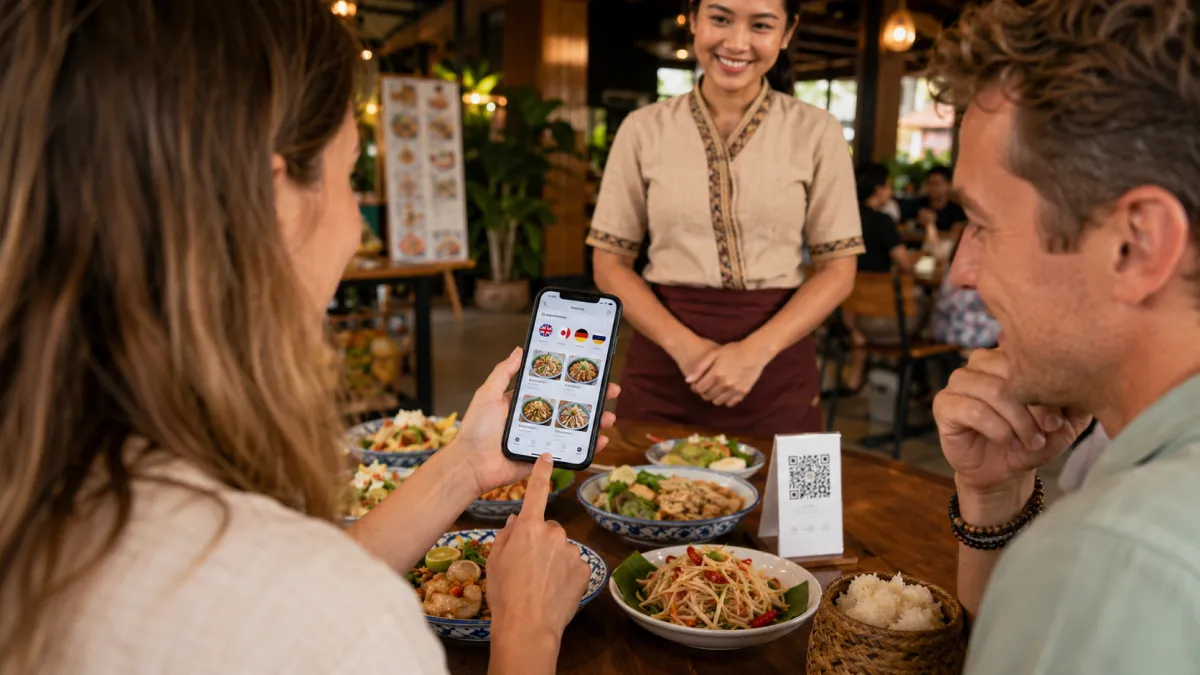
Do not bury the language switcher. If a guest cannot find the language control, the menu has already failed. Put it near the top of the menu or in a persistent control where mobile users can reach it quickly.
Step 4: Pick target languages from real tourist demand
The common mistake is adding every language available in the platform. That looks global, but it creates review work and makes quality harder to maintain.
Start with the languages that actually affect ordering.
For many restaurants in Thailand, a practical sequence is:
| Restaurant context | Start with | Add next when demand is visible |
|---|---|---|
| Local restaurant with some tourists | Thai + English | Chinese or the strongest nearby tourist language |
| Bangkok, Phuket, Pattaya, Chiang Mai, Koh Samui | Thai + English | Chinese, Russian, Korean, Japanese |
| Hotel, resort, airport, tour-group area | Thai + English | Chinese, Russian, Korean, Japanese, Arabic, French, German |
| Malaysian or halal-heavy area | Thai + English | Malay, Arabic, halal notes |
| Indian tourist corridor | Thai + English | Hindi or other relevant Indian-language support, vegetarian notes |
| Long-stay expat area | Thai + English | Russian, German, French, Japanese, or local expat languages |
Use national tourism data as a starting point, not a final rule. TAT's Q1 2026 data points to China, Malaysia, Russia, India, and South Korea as major source markets. But your actual restaurant may be next to a Japanese hotel, a Russian-heavy beach, a Malaysian border route, or a European diving school.
Use your own evidence:
- Which languages do guests use when asking staff questions?
- Which nationalities appear in Google reviews?
- Which hotels, tours, or partners send guests to you?
- Which dishes do tourists ask about most often?
- Which languages show up in website, social, or menu analytics?
- Which staff members keep translating the same dish explanations?
The goal is not to support the largest number of languages. The goal is to support the right languages well.
Step 5: Translate the fields that affect ordering first
If you cannot review every word on day one, prioritize the fields that reduce ordering risk.
Priority order:
- Category names so guests can navigate.
- Item names so guests can recognize dishes.
- Short descriptions so guests understand ingredients and cooking methods.
- Option labels so guests can choose size, protein, toppings, spice, sweetness, or milk type.
- Allergen and dietary notes so guests can avoid unsafe or unsuitable items.
- Availability labels such as sold out, seasonal, lunch only, dinner only.
- Promotional labels such as best seller, recommended, set menu, or signature.
Do not translate only dish names. A tourist may recognize "tom yum" but still need to know whether it includes shrimp, milk, mushrooms, chili, or herbs. A guest may understand "curry" but not know whether it is mild, spicy, coconut-based, or served with rice.
Food translation research makes the same point: translations that omit ingredients, cooking methods, or cultural associations can discourage guests from ordering. Good menu translation gives the guest a mental picture.
Step 6: Review automatic translations like an operator
Review does not need to be slow. It needs to be focused.
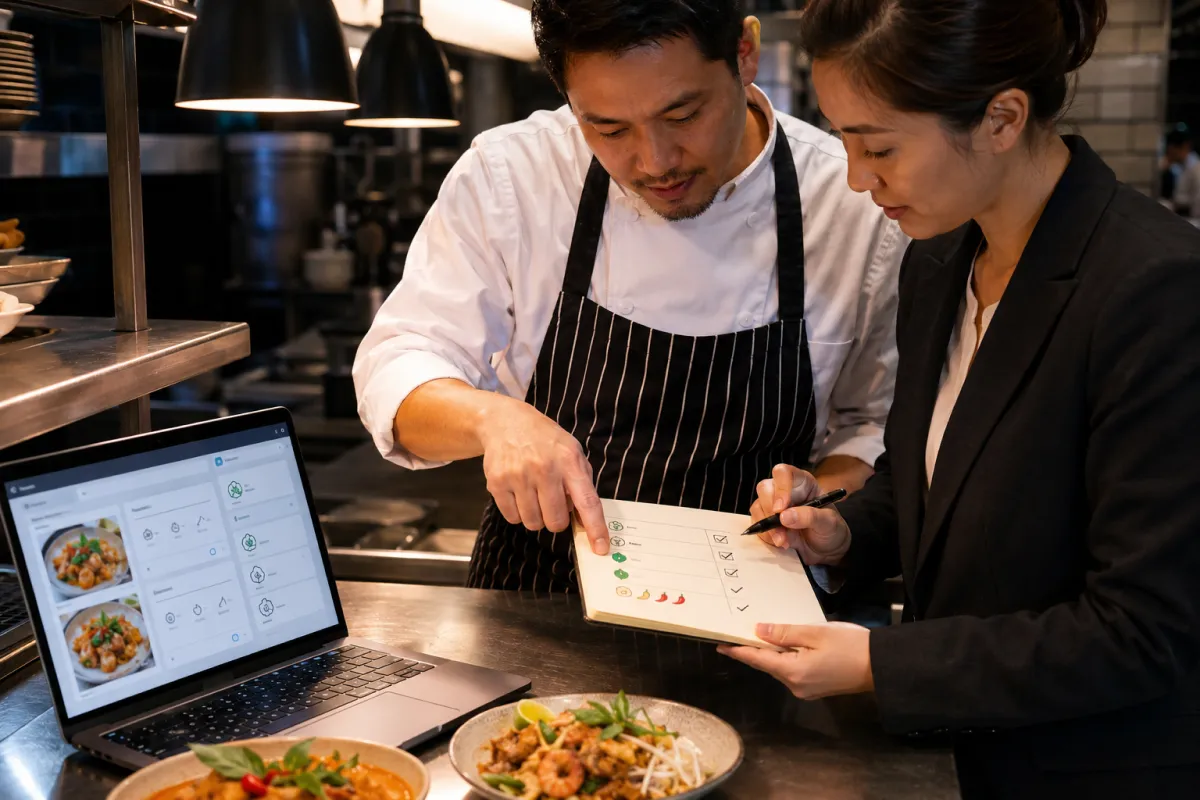
Create a short review checklist:
| Review area | What to check |
|---|---|
| Signature dishes | Keep local names when they matter, then explain them |
| Allergens | Check peanuts, tree nuts, shellfish, fish, milk, eggs, wheat, soy, sesame |
| Dietary claims | Be careful with vegetarian, vegan, halal, gluten-free, and Jain-friendly wording |
| Spice level | Avoid underplaying heat for tourists |
| Sauce names | Explain fish sauce, fermented fish, shrimp paste, oyster sauce, and chili relishes |
| Options | Make sizes, toppings, proteins, sweetness, milk type, and doneness clear |
| Premium items | Make descriptions match the price and portion |
| Tone | Keep copy natural, not robotic or over-translated |
The FDA lists nine major food allergens in U.S. packaged-food guidance: milk, eggs, fish, crustacean shellfish, tree nuts, peanuts, wheat, soybeans, and sesame. Local restaurant rules vary by country, but this list is a useful reminder of the ingredients many guests worry about.
For Thai restaurants, pay special attention to:
- peanuts in salads, sauces, and toppings;
- shrimp paste and fish sauce in curries, dips, and salads;
- oyster sauce in stir-fries;
- fermented fish in regional dishes;
- coconut milk versus dairy milk;
- wheat in noodles, batters, soy sauce, or fried items;
- sesame in dressings or garnishes.
Do not rely on automatic translation alone for these notes. Use it to speed up the draft, then have a person who understands the menu check the final meaning.
Step 7: Use photos where translation is not enough
Some dishes are hard to explain in any language. Photos help.
Use photos for:
- signature dishes;
- local dishes tourists may not recognize;
- premium items;
- desserts and drinks;
- dishes with unusual texture or presentation;
- set menus and sharing platters.
A translated description says what the dish is. A photo shows whether it looks like something the guest wants. Together, they reduce the risk of trying something unfamiliar.
Do not overload the whole menu with low-quality images. A few clear, honest photos are better than many dark or misleading ones. The photo should match the portion and plating guests will actually receive.
Step 8: Publish the QR menu and keep paper as a fallback
A QR menu works best when it feels useful, not forced.
Print QR codes for:
- table tents;
- counter signs;
- window stickers;
- hotel-room cards;
- Google Business Profile links;
- Instagram bio and story highlights;
- partner hotel or tour materials.
Use simple table copy:
Scan for menu, photos, and translations.
Train staff with one sentence:
The full menu with photos and translations is on the QR code, and we also have a paper menu if you prefer.
That sentence matters. Some guests love QR menus. Others dislike being forced to use a phone at the table. A hybrid approach is usually stronger: make the QR menu the most complete and current version, but keep hospitality intact for guests who want help.
Step 9: Test the end-to-end mobile experience
Before printing QR codes at scale, test the full guest path.
Use this checklist:
| Test | What good looks like |
|---|---|
| Scan speed | The camera recognizes the QR code quickly under restaurant lighting |
| Load speed | The menu opens fast on cellular data |
| First screen | Restaurant name, categories, and language control are clear |
| Language switch | The guest can change language without guessing |
| Item details | Names, descriptions, prices, photos, and options are readable |
| Translation quality | Key dishes, allergens, and options make sense |
| Sold-out behavior | Unavailable items do not create false expectations |
| Accessibility | Text size, contrast, and tap targets work on small screens |
| Staff fallback | Staff know how to help guests who prefer paper |
Test on more than one phone. Use an iPhone and an Android device if possible. Test at the table, not only from the office. Restaurant lighting, glossy table tents, weak Wi-Fi, and roaming data can change the real experience.
Common setup mistakes to avoid
The fastest way to make automatic translation fail is to skip the boring setup work.
Avoid these mistakes:
- translating a messy source menu;
- adding too many languages before reviewing the main ones;
- publishing allergen or dietary claims without checking them;
- using a PDF behind a QR code and calling it a digital menu;
- hiding the language switcher;
- forcing QR-only service with no paper fallback;
- letting translations go stale after price or item changes;
- using machine-translated dish names without photos or descriptions;
- ignoring staff feedback from real guest questions.
A good QR menu with automatic translation is not just a translation feature. It is a menu operations workflow.
How iMango fits this setup
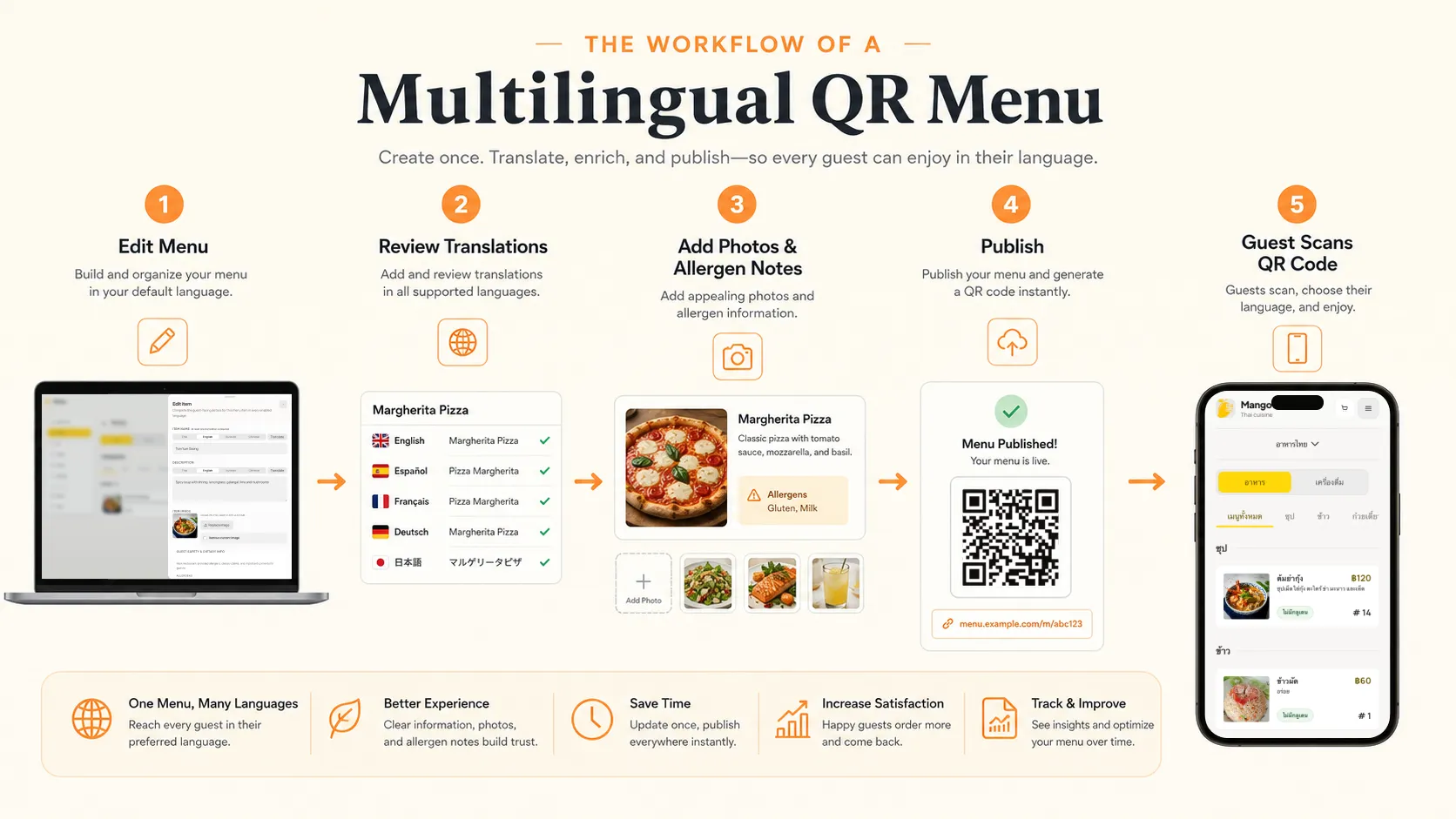
iMango is built for restaurants that want a mobile-first QR menu without turning menu management into a technical project. The practical workflow is simple:
- Create the restaurant and menu.
- Add categories, items, descriptions, photos, options, and prices.
- Enable the languages that matter for your guests.
- Use the translation helper to fill missing translations.
- Review sensitive fields before publishing.
- Share the stable public menu URL through QR codes and online profiles.
- Keep editing the same menu as prices, availability, and guest demand change.
The important part is control. iMango's current translation flow is owner-triggered. It helps fill empty translation fields, but it does not overwrite reviewed translations automatically. That makes it a safer fit for real restaurant content, where a dish name, allergen note, or option label may need human judgment.
For tourist-heavy restaurants, this is the practical promise: one QR menu, multiple guest languages, fewer repeated explanations, and a menu your team can keep current without reprinting.
Frequently Asked Questions
What is a QR menu with automatic translation?
A QR menu with automatic translation is a mobile restaurant menu opened through a QR code that can generate or assist translations for multiple guest languages. The best systems keep the QR destination stable while letting the restaurant update items, prices, photos, options, and translations in one workspace.
Is automatic menu translation accurate enough for restaurants?
Automatic menu translation is useful for first drafts, category names, basic descriptions, and option labels. It should be reviewed manually for signature dishes, allergens, dietary claims, spice levels, culturally specific names, and premium items where wording affects trust.
Which languages should a tourist restaurant add first?
Start with your base language and English, then add the languages your guests actually use. In Thailand, many tourist-heavy restaurants should evaluate Chinese, Russian, Korean, Japanese, Malay, Hindi, Arabic, French, or German depending on location, hotel partners, reviews, staff questions, and analytics.
Should a restaurant translate every menu field?
Translate the fields that affect ordering first: category names, item names, short descriptions, options, allergens, dietary notes, availability labels, and promotional labels. Long brand copy can wait until the high-impact menu fields are correct.
Do guests need an app to open a translated QR menu?
No. A good QR menu opens in the guest's mobile browser after scanning the code with the phone camera. Requiring an app download adds friction and usually makes the guest experience worse.
Should restaurants still keep paper menus?
Yes, many restaurants should keep a simple paper fallback. QR menus are useful when they are fast, mobile-friendly, visual, and multilingual, but forcing every guest to scan can hurt hospitality. A hybrid approach works better for mixed audiences.