
May 20, 2026 · 14 min read
How to Create a Russian-English Digital Menu
Create a Russian-English digital menu for tourist restaurants with accurate dish translations, Cyrillic-friendly mobile design, and clear QR language switching.
iMango Team
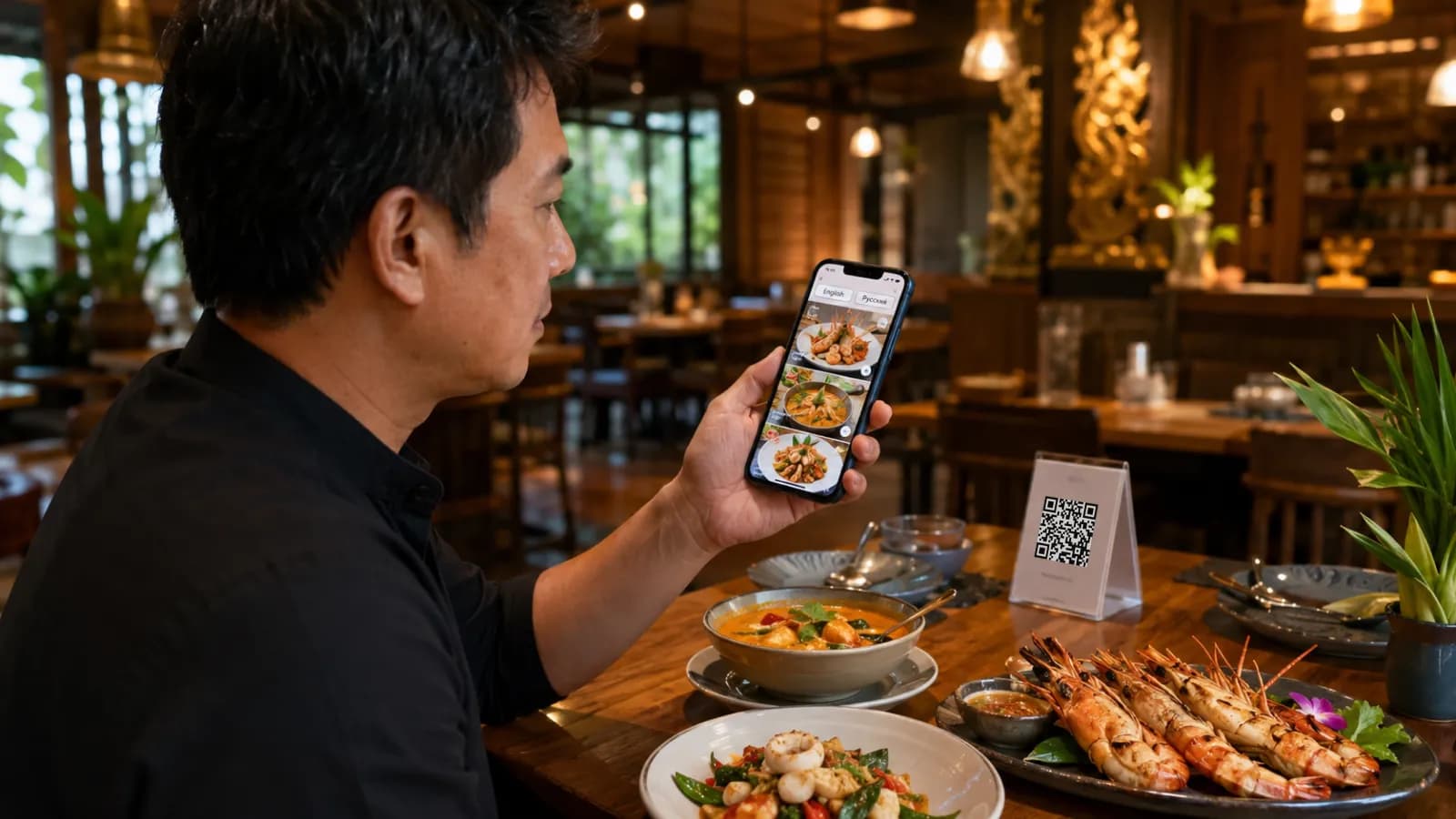
Short answer: to create a Russian-English digital menu, build a clean English source menu first, translate the fields that affect ordering into Russian, review culinary terms with a glossary, test Cyrillic text on real mobile screens, and publish both languages behind a stable QR code. The goal is not to show off language support. The goal is to help Russian-speaking guests understand the menu quickly enough to order with confidence.
For tourist restaurants in Thailand, Russian is not a fringe language. Thailand welcomed 32.97 million international visitors in 2025, and Russia contributed 1,898,837 of them, according to Thailand's Public Relations Department. In the first quarter of 2026, the Tourism Authority of Thailand reported 9.31 million international arrivals, with Russia in third place at 726,000 visitors after China and Malaysia.
That does not mean every restaurant needs a Russian menu. It does mean restaurants in Russian-heavy areas should make the decision deliberately. If your guests come from Phuket, Pattaya, Koh Samui, Bangkok hotel districts, long-stay apartment zones, dive shops, wellness retreats, family resorts, tour partners, or Google reviews written in Russian, a Russian-English digital menu can remove a real ordering barrier.
English still matters. A Russian-English menu helps Russian-speaking guests, but it also keeps staff, mixed-language tables, hotel partners, tour guides, and other international diners aligned. Think of English as the bridge language and Russian as the confidence layer for a high-value guest segment.
Why Russian-English menu support is worth considering
A Russian-speaking guest who cannot understand the menu may still order. The question is what they order.
They may choose the cheapest familiar item, avoid add-ons, skip the seafood platter, ignore the local specialty, or call the server over for basic explanations. The restaurant still gets a sale, but it may lose the dish it most wanted to sell.
That is why a Russian-English digital menu should focus on ordering confidence:
| Guest uncertainty | What the menu should clarify |
|---|---|
| "What is this dish?" | Main ingredients, cooking method, texture, and portion size |
| "Is it too spicy?" | Spice level and whether it can be adjusted |
| "Can my child eat this?" | Mild options, simple ingredients, and portion cues |
| "Does it contain pork, seafood, alcohol, or fish sauce?" | Clear contains notes and dietary warnings |
| "Is this vegetarian?" | Accurate vegetarian or vegan language, not guesswork |
| "Why is this dish more expensive?" | Seafood type, premium ingredient, portion, or sharing cue |
| "Can I choose toppings or protein?" | Translated options, add-ons, and modifiers |
The strongest business case is not "Russian tourists like Russian text." It is narrower and more useful: guests spend more confidently when the menu reduces risk.
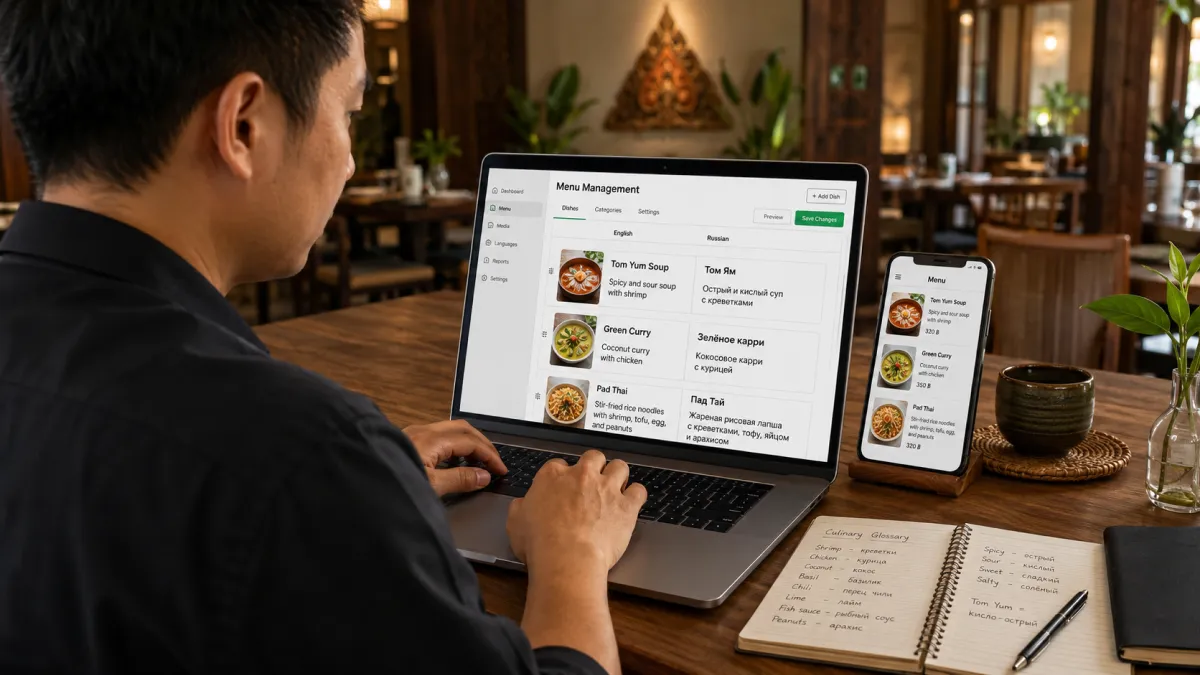
Start with the right source menu
Do not translate a messy menu. A confusing English menu becomes a confusing Russian menu.
Before translating, clean these fields:
- Categories: keep them simple: Starters, Soups, Salads, Curries, Seafood, Noodles, Rice, Desserts, Drinks.
- Item names: keep famous local names when they help recognition, but remove kitchen shorthand.
- Descriptions: include ingredients, cooking method, spice level, texture, and portion cue.
- Options: structure choices such as size, protein, spice level, sweetness, milk type, toppings, and doneness.
- Allergens and contains notes: separate safety information from marketing copy.
- Availability: mark sold-out, seasonal, limited, lunch-only, or dinner-only items clearly.
- Photos: add clear photos for unfamiliar, premium, or signature dishes.
Weak source text:
House special spicy seafood.
Better source text:
Stir-fried shrimp, squid, and mussels with Thai basil, garlic, chili, and oyster sauce. Spicy by default. Served with jasmine rice.
The second version is easier to translate because it gives the translator, AI model, staff member, and guest enough context.
Translate key culinary terms into Russian accurately
Restaurant translation is not word substitution. Food words carry ingredients, cooking methods, culture, safety, and appetite.
Menu translation research makes the same point: tourists often prefer original dish names with descriptive translation, and they ask for details such as spice level and main ingredients. A separate restaurant-menu study from CORE notes that explicating ingredients, cooking methods, and cultural specificity helps translated menus support tourism and consumption.
Use a small Russian glossary before translating the whole menu. Start with 30 to 50 terms your restaurant uses often.
| Menu term | Better Russian treatment | Why it matters |
|---|---|---|
| Som tam | Сом там - салат из зелёной папайи с лаймом, чили, рыбным соусом и арахисом | Keeps the local name and explains ingredients |
| Tom yum goong | Том ям с креветками - острый суп с лемонграссом, галангалом, лаймом и грибами | Avoids a vague "spicy soup" translation |
| Pad kra pao | Пад кра пао - жареное мясо с тайским базиликом, чили и чесноком | Preserves the dish name and cooking method |
| Moo ping | Свиные шашлычки на гриле | Sounds natural in Russian and explains the format |
| Fish sauce | рыбный соус | Important for allergens, vegetarian claims, and taste |
| Oyster sauce | устричный соус | Important for shellfish-sensitive and vegetarian guests |
| Thai spicy | по-тайски остро | Clearer than simply остро for heat expectations |
| Mild available | можно сделать неострым | More useful than a literal "mild available" |
| No pork | без свинины | Useful, but not the same as halal |
| Vegetarian | вегетарианское | Must be checked for fish sauce, oyster sauce, broth, and shrimp paste |
Two details matter more than most restaurants expect.
First, do not translate every local dish name away. Russian-speaking guests often recognize names like Tom Yum, Pad Thai, Massaman, or Som Tam. Keep the name, then explain it.
Second, be careful with "spicy." In Russian, горячий usually means hot temperature, not chili heat. Use острый for spicy food, and say whether the dish can be made less spicy.
Review allergens, dietary notes, and sensitive ingredients manually
This is the part of the menu where a wrong translation can become more than a small embarrassment.
At minimum, review Russian wording for:
- peanuts and tree nuts;
- shellfish, shrimp paste, oyster sauce, and fish sauce;
- milk, cream, cheese, butter, and condensed milk;
- eggs;
- wheat, noodles, soy sauce, and breading;
- sesame;
- pork, beef, alcohol, caffeine, and raw seafood;
- vegetarian, vegan, halal, and gluten-sensitive claims.
The FDA recognizes nine major food allergens in the United States, including sesame since 2023. Local rules differ, but the list is a useful reminder: guests worry about ingredients the kitchen may consider ordinary.
Do not let machine translation invent dietary claims. Без свинины means "no pork." It does not mean halal. Вегетарианское means vegetarian. It does not mean vegan if the dish contains fish sauce, oyster sauce, egg, dairy, or shrimp paste.
The best workflow is AI draft plus human review. ISO 18587 covers the post-editing of machine translation output; restaurants do not need a formal translation-agency process, but the principle is practical. Use translation help to move fast, then review the words guests rely on for safety, preference, and price trust.
In iMango, this fits the current product behavior: the owner can use Translate as a controlled action for empty enabled-language fields, while existing manual translations remain untouched. That keeps the restaurant in charge of final wording. Read more about the controlled translation workflow for restaurant menus.
Set up intuitive dual-language toggles
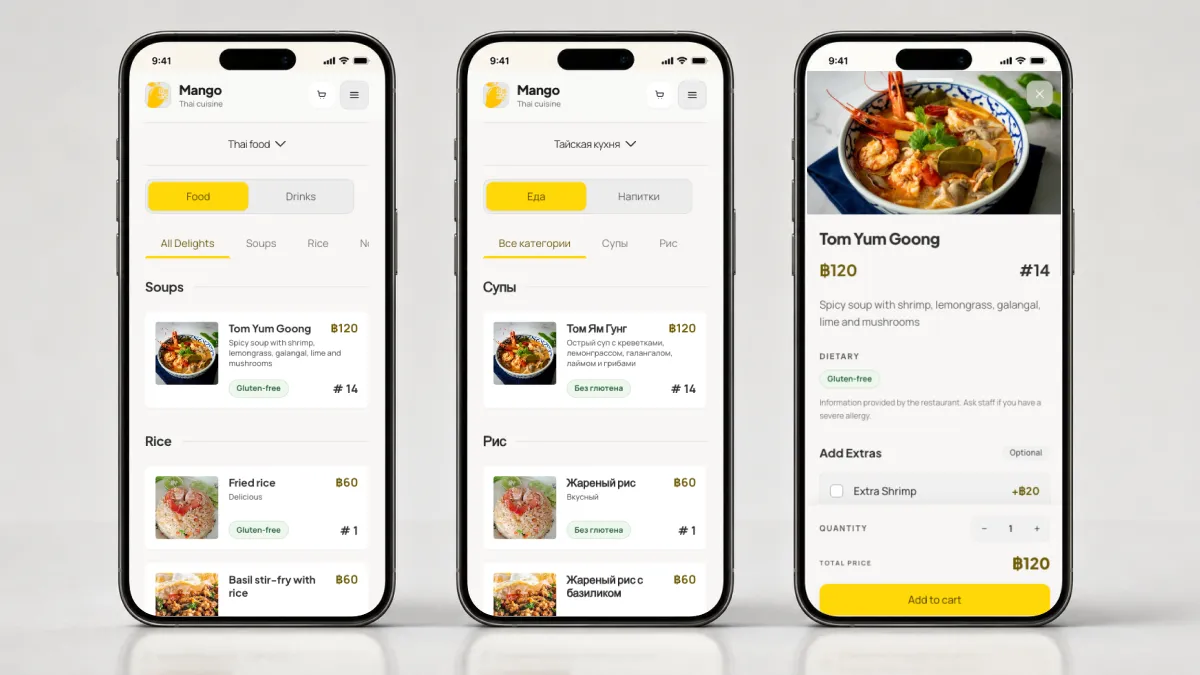
A Russian-English digital menu fails if guests cannot find the language switcher.
Use visible language labels:
| Language | Good label | Avoid relying only on |
|---|---|---|
| English | English | UK or US flag only |
| Russian | Русский | Russian flag only |
| Thai | ไทย | Thai flag only |
Flags can help in some contexts, but a flag is not a language. A text label is clearer, especially for travelers, mixed-nationality groups, and guests who use Russian as a working language outside Russia.
For the mobile interface:
- place the language switcher near the top of the menu;
- keep it reachable after the guest opens categories or item details;
- preserve the selected category when switching languages;
- keep the same item open when possible;
- use one active language at a time instead of side-by-side paragraphs on small screens;
- show original dish names when they help recognition;
- keep category labels short enough for narrow phones.
For SEO pages and blog pages, Google recommends using hreflang to help Search understand localized versions of the same content. For restaurant menus, the more important guest-facing rule is simpler: the Russian and English versions should be reachable from the same stable QR destination, and the guest should not lose their place when switching language.
Review Cyrillic formatting for mobile responsiveness
Cyrillic changes the shape of the interface. Russian labels can be longer, denser, and more likely to wrap than English labels.
Test real Russian strings, not placeholders.
| UI area | What to test |
|---|---|
| Category tabs | Long labels such as Морепродукты, Вегетарианские блюда, Безалкогольные напитки |
| Item cards | Two-line names with price, photo, and dietary tags |
| Option groups | Выберите уровень остроты, Добавьте топпинги, Выберите гарнир |
| Buttons | Добавить, Посмотреть меню, Сканировать меню, Спросить официанта |
| Allergen notes | Multi-ingredient warnings without clipping |
| QR table tent copy | Russian text large enough to read at table distance |
Use a font stack with Cyrillic coverage, enough line-height, and flexible containers. Avoid fixed-height cards that assume English text length. Do not rely on uppercase Russian labels for small controls; all-caps Cyrillic can feel heavy and harder to scan.
For touch controls, WCAG 2.2 Success Criterion 2.5.8 sets a minimum target size of 24 by 24 CSS pixels, with exceptions. In a restaurant, design more generously. Guests may use one hand, a cracked screen, bright sunlight, roaming data, or a phone balanced beside plates and drinks.
A quick mobile QA checklist:
- Test on a narrow phone viewport.
- Open every category in Russian.
- Open item details for the longest dish names.
- Switch Russian to English and back.
- Check that prices stay aligned.
- Check that buttons do not truncate.
- Check that allergen notes and option labels wrap cleanly.
- Scan the QR code from a printed table tent, not only from a laptop screen.
Promote the Russian-English menu to incoming guests
Do not assume guests will discover the Russian version on their own. Promote it where the ordering moment begins.
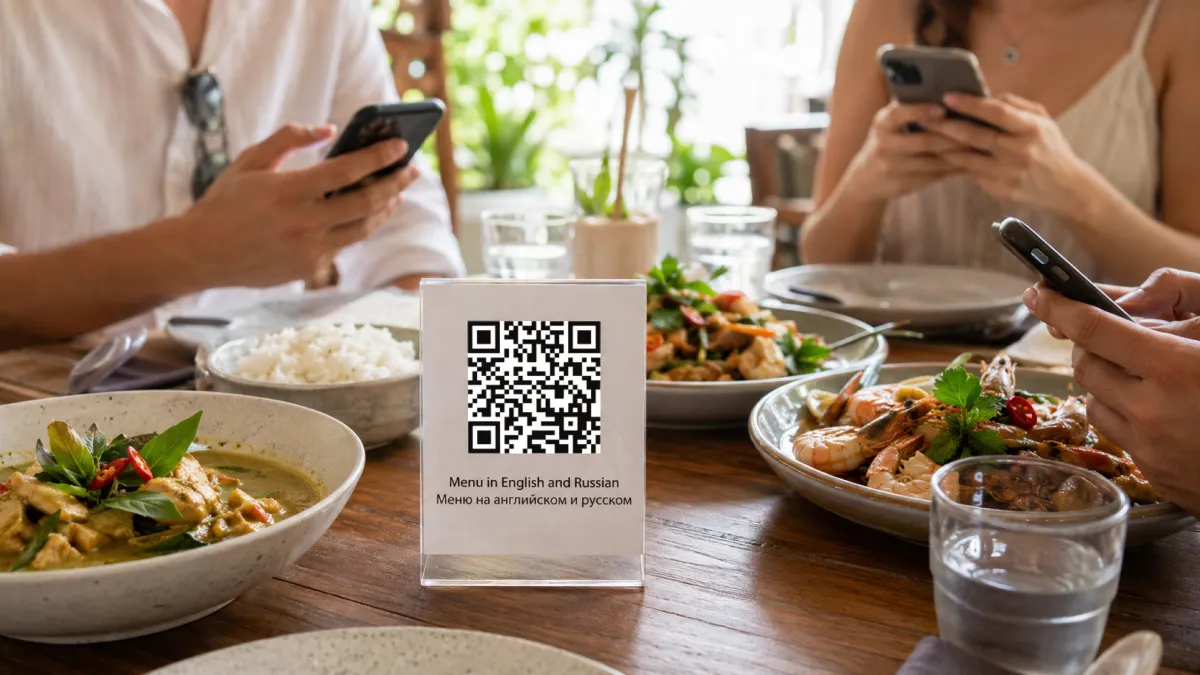
Use simple table and entrance copy:
Menu in English and Russian
Scan the QR code
Меню на английском и русском
Сканируйте QR-кодFor tourist-heavy locations, add the same message to:
- table tents;
- small entrance signage;
- Google Business Profile photos;
- hotel partner cards;
- tour partner material;
- Instagram highlights;
- staff greeting scripts;
- review replies when guests mention language support.
Staff do not need a long script. A short line is enough:
You can scan here and switch the menu to Russian or English.
Or, for Russian-speaking guests:
Меню можно открыть на русском или английском.
Promotion matters because language support is only useful if the guest notices it before they give up, ask for help, or choose the safest item.
A practical setup workflow
Here is the full workflow for a restaurant owner.
Step 1: Decide whether Russian is a priority
Use evidence:
- Russian-language Google reviews;
- repeat Russian-speaking guests;
- nearby hotels, condos, tours, beaches, or wellness venues;
- staff questions during service;
- dishes Russian-speaking guests often ask about;
- seasonal demand in your area.
If Russian guests are rare, start with English and your local language. If Russian guests are visible every week, build the Russian version before the next high season.
Step 2: Build the English bridge menu
English is useful even when Russian is the target. It helps staff, search, mixed-language tables, and future translation.
Make English descriptions plain:
Grilled river prawns with seafood dipping sauce, garlic, lime, chili, and coriander. Served with jasmine rice.Avoid vague marketing copy:
Our famous local seafood experience with authentic taste.The first version can be translated, reviewed, and trusted. The second version cannot.
Step 3: Create a Russian culinary glossary
Create a short glossary before translating everything.
Include:
- signature dish names;
- cooking methods;
- sauces;
- spice levels;
- proteins;
- allergens;
- dietary terms;
- portion words;
- common add-ons.
Keep the glossary practical. A 40-term glossary that staff actually review is better than a 300-term glossary no one maintains.
Step 4: Translate high-impact fields first
If time is limited, translate in this order:
- Categories.
- Item names.
- Short descriptions.
- Options and add-ons.
- Spice levels.
- Allergen and contains notes.
- Availability labels.
- Premium item descriptions.
Do not stop at item names. A Russian item name without ingredients still leaves the guest guessing.
Step 5: Add photos where translation is not enough
Photos are not decoration. They help guests understand unfamiliar dishes faster than text alone.
Prioritize photos for:
- signature dishes;
- unfamiliar local dishes;
- premium seafood or steak;
- shared platters;
- desserts;
- dishes with unusual texture;
- items that staff explain repeatedly.
Make sure the photo matches the actual portion and plating. A misleading photo creates the same trust problem as a bad translation.
Step 6: Publish behind a stable QR code
Do not create separate printed QR codes for every language unless you have a specific reason. A better digital setup uses one stable QR destination and lets the guest choose language after opening the menu.
That way:
- table signage stays simple;
- existing QR codes keep working after edits;
- staff can explain one scan flow;
- the restaurant can update prices, availability, photos, and translations without reprinting.
iMango is built around this pattern: the QR destination stays stable, and the restaurant manages menu content in the workspace.
Step 7: Test before service
Run a real service-style test:
- scan the printed QR code at a table;
- switch to Russian;
- browse categories;
- open a long item description;
- choose options;
- check allergen notes;
- switch back to English;
- ask a staff member if the Russian wording matches the kitchen's intent.
Fix the awkward phrases before guests see them. A short test before service is cheaper than apologizing at the table.
Common mistakes to avoid
| Mistake | Why it hurts |
|---|---|
| Translating only item names | Guests still cannot understand ingredients, spice, or options |
| Using raw machine translation without review | Culinary terms, allergens, and dietary claims can become unreliable |
| Showing Russian and English side by side on mobile | The screen becomes crowded and hard to scan |
| Using flags as the only language selector | Flags represent countries, not languages |
| Forgetting option labels | Guests get stuck when choosing size, protein, toppings, or spice |
| Ignoring Cyrillic wrapping | Buttons, cards, and tabs can clip or jump on mobile |
| Keeping old printed translations | Prices, sold-out items, and descriptions drift out of sync |
| Calling "no pork" halal | This can mislead guests and damage trust |
Where iMango fits
iMango is useful when a restaurant wants a practical, editable Russian-English menu instead of another static PDF.
With iMango, a restaurant can:
- keep one stable QR menu URL;
- manage English and Russian menu fields in the same workspace;
- use
Translateto fill empty enabled-language fields as a starting point; - preserve manual translation edits;
- add photos, options, prices, and availability changes;
- keep public menu language switching simple for guests.
The important part is control. A restaurant should be able to move fast without surrendering the final wording of signature dishes, allergens, dietary claims, and premium descriptions.
Final checklist
Use this checklist before publishing a Russian-English digital menu:
- The English source menu is clear and current.
- Russian category names are short enough for mobile.
- Famous local dish names are preserved with explanations.
- Spice levels use
острый,неострый, or clearer Russian wording. - Pork, seafood, fish sauce, oyster sauce, alcohol, and allergens are reviewed.
- Vegetarian, vegan, halal, and gluten-sensitive claims are checked manually.
- Options and add-ons are translated.
- Photos match the real dish.
- Cyrillic text wraps cleanly on mobile.
- The language switcher says
EnglishandРусский. - The QR code opens one stable menu URL.
- Staff know how to introduce the Russian-English menu.
When those pieces are in place, the Russian-English menu becomes more than a translation project. It becomes a better ordering experience for guests who are already in your restaurant and ready to spend.
FAQ
What is a Russian-English digital menu?
A Russian-English digital menu is a mobile-friendly restaurant menu that guests open from a QR code or link and can view in English or Russian. A good version translates categories, item names, descriptions, options, spice levels, allergen notes, and availability labels.
Should a Thai restaurant add Russian to its menu?
Add Russian if your restaurant sees visible Russian-speaking demand: Russian reviews, Russian-speaking guests, nearby tourist hotels, beach or long-stay areas, staff translation requests, or tour partners. If the demand is not visible, start with the languages your guests already use most.
Is automatic translation enough for a Russian restaurant menu?
No. Automatic translation can create a useful first draft, but restaurant owners should review dish names, allergens, dietary claims, spice levels, and premium item descriptions before publishing.
What should be translated first?
Translate the fields that affect ordering decisions first: category names, item names, short descriptions, option labels, spice levels, allergens, contains notes, and sold-out or seasonal labels.
How do you make Cyrillic text work on mobile menus?
Use a font with Cyrillic support, flexible containers, enough line-height, and buttons that can wrap or expand. Test real Russian strings on narrow phone screens before printing QR codes.
Should the menu show Russian and English at the same time?
Usually no. On mobile, one active language is cleaner. Keep the language switcher visible and preserve the guest's place when switching between English and Russian.