
May 22, 2026 · 15 min read
Foreign Customers Ordering Wrong Food? Fix Your Menu
Foreign customers order the wrong food when menus miss context. Learn how translations, photos, allergens, options, and QR menus prevent mistakes.
iMango Team
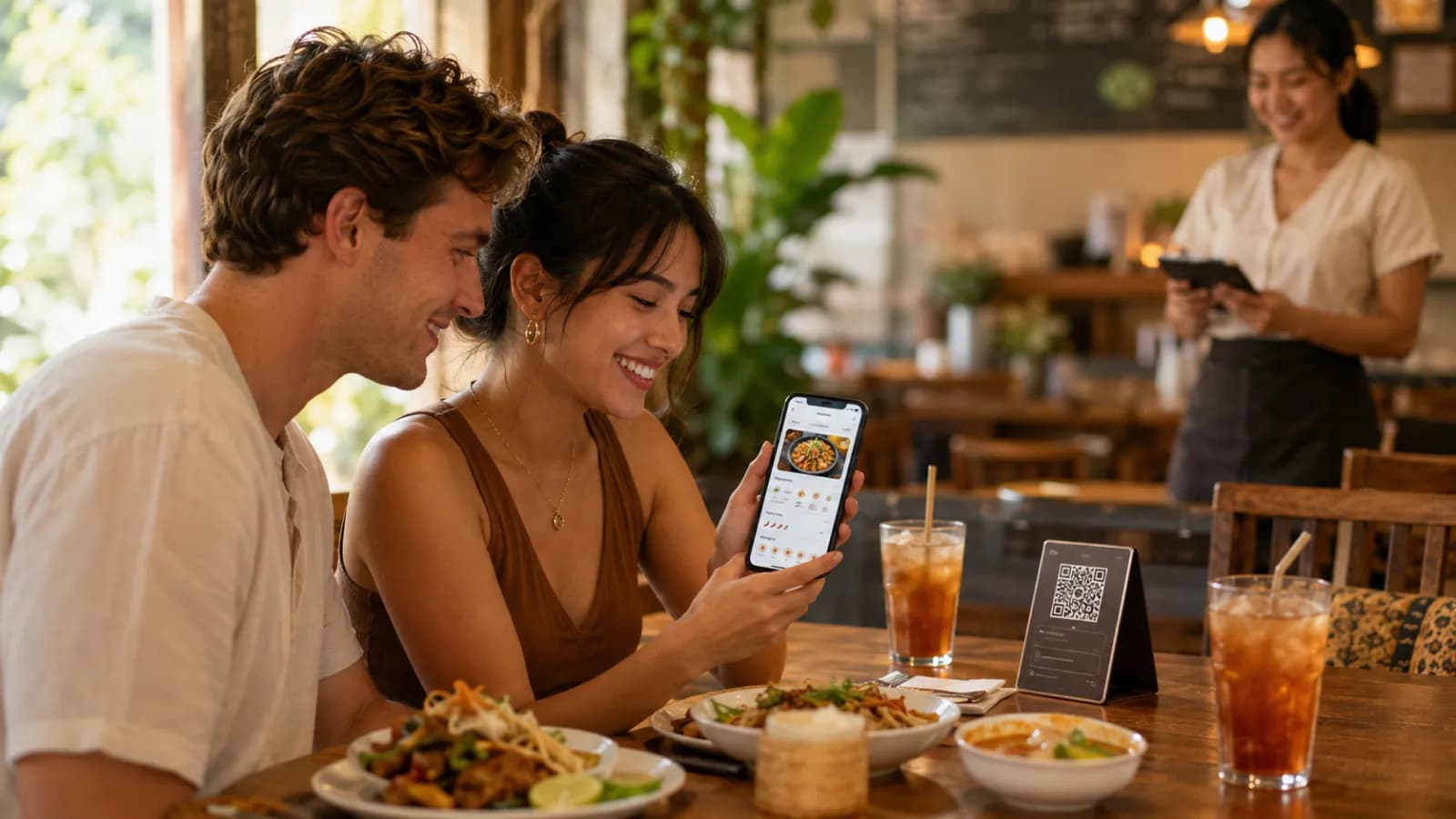
Short answer: if foreign customers often order the wrong food, treat it as a menu communication problem before treating it as a guest problem. The restaurant should make each dish easier to understand with clear translations, ingredient notes, cooking methods, spice levels, portion cues, allergen information, real photos, translated options, and a simple confirmation process at the table.
Most wrong orders do not happen because guests are careless. They happen because a hungry person is trying to decode a local dish, in another language, on a busy service night, with limited context.
For a restaurant, the cost is larger than one remade plate. A wrong order can create:
- an awkward conversation at the table;
- food waste;
- slower service;
- staff stress;
- refunds or discounts;
- a weaker review;
- a guest who avoids local dishes next time.
In tourist-heavy markets, that risk is normal. Thailand welcomed 32.97 million international visitors in 2025, and TAT reported 9.31 million international arrivals in the first quarter of 2026 alone. The top Q1 source markets included China, Malaysia, Russia, India, and South Korea. A restaurant in Bangkok, Phuket, Pattaya, Chiang Mai, Koh Samui, Krabi, or a hotel zone is not serving one kind of foreign customer. It is serving a mix of languages, food habits, spice tolerance, religious rules, allergies, and expectations.
The answer is not to make the menu longer. The answer is to make the important parts clearer.
Why foreign customers order the wrong food
Wrong orders usually come from a small set of predictable gaps.
| What goes wrong | What the guest experiences | What the restaurant can fix |
|---|---|---|
| Literal translation | The words are translated, but the dish still makes no sense | Translate meaning, ingredients, and cooking method |
| Local name only | The guest sees "khao soi" or "nam prik" but cannot picture the dish | Keep the local name and add a plain explanation |
| No photo | The guest guesses based on the name | Add real photos for unfamiliar or signature dishes |
| Vague spice label | "Spicy" means different things to different people | Use clear spice levels and say what can be adjusted |
| Missing texture cue | The guest expects crispy but receives soft, chewy, cold, fermented, or raw | Mention texture when it affects expectations |
| Untranslated options | The item is clear, but protein, toppings, size, or sweetness are not | Translate option labels and add-ons |
| Hidden allergens | The guest cannot judge risk | Show allergen and dietary notes in the menu |
| Unclear portion | The guest orders a side dish as a main, or a sharing plate for one person | Add snack, main, share, set, or serving-size cues |
| Sold-out item still visible | The guest orders something unavailable | Hide sold-out items or label them clearly |
None of these fixes require a complicated system. They require the restaurant to look at the menu through the guest's eyes.
The menu should answer six questions before staff arrive
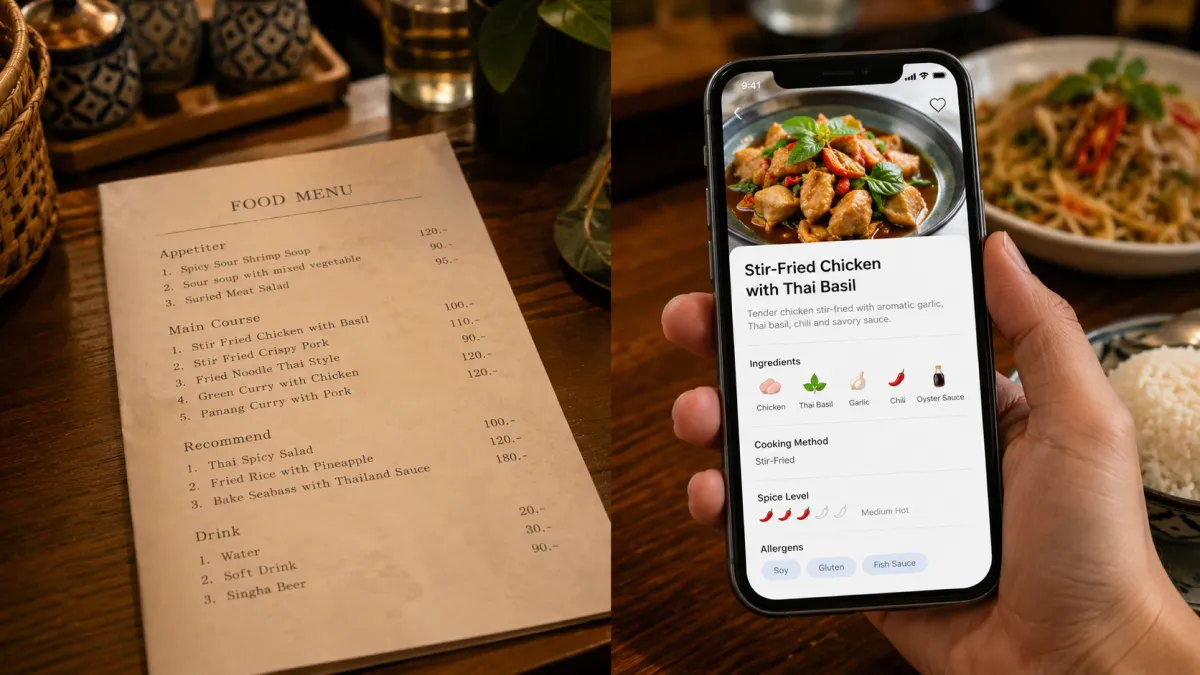
A foreign guest often opens the menu before the server has time to explain anything. The menu should quietly answer the questions that would otherwise become staff work.
1. What is this dish?
Do not rely on a dish name alone.
Weak:
Morning glory
Better:
Stir-fried water spinach with garlic, chili, and soy-based sauce.
Weak:
Boat noodles
Better:
Rich Thai noodle soup with herbs, pork or beef, dark broth, and crispy garlic.
The better versions are not poetic. They are useful. They give the guest enough information to decide.
Research on restaurant menu translation reaches the same practical point: menus work better when translations explain ingredients, cooking methods, and cultural specificity instead of only replacing words. For tourist restaurants, that is the difference between a guest exploring the menu and a guest pointing at the safest item.
2. Is it local, familiar, or adventurous?
Some restaurants over-translate local dish names until the food loses identity. Others keep only the local name and leave guests guessing.
Use both.
Good pattern:
Local dish name + plain explanationExamples:
| Menu item | Tourist-friendly wording |
|---|---|
| Khao soi | Northern Thai coconut curry noodle soup with chicken, crispy noodles, pickled mustard greens, and chili oil |
| Som tam | Green papaya salad with lime, chili, fish sauce, tomato, long beans, and peanuts |
| Moo ping | Grilled pork skewers with coconut milk marinade, served with sticky rice |
| Nam prik ong | Northern Thai tomato and pork chili relish, served with vegetables |
| Pla ra | Fermented fish seasoning with a strong savory flavor |
This keeps the local food local while giving the guest a way in.
3. How spicy is it?
"Spicy" is not a universal measurement. A Thai medium can be too much for many visitors. A European medium may feel mild to a Thai customer. A guest who orders wrong spice level may not complain, but they may stop eating.
Use a plain scale:
| Label | Menu meaning |
|---|---|
| Mild | Gentle heat, suitable for most guests |
| Medium | Noticeably spicy |
| Thai spicy | Very spicy, best for guests who enjoy strong chili heat |
| Adjustable | Spice can be changed before cooking |
| Not adjustable | Sauce or curry base is already prepared |
If a dish cannot be made mild, say so. That honesty prevents remakes.
4. What is inside it?
Ingredients matter for taste, confidence, and safety. A tourist may not recognize fish sauce, shrimp paste, galangal, holy basil, kaffir lime, tamarind, fermented fish, palm sugar, or coconut milk by taste or name.
You do not need to list every gram. List the ingredients that change the decision:
- main protein;
- sauce base;
- strong flavors;
- common allergens;
- fermented ingredients;
- dairy or coconut milk;
- alcohol;
- pork or beef;
- raw or undercooked elements.
This is especially important for guests who avoid pork, beef, alcohol, shellfish, peanuts, dairy, gluten, or eggs.
5. How big is it?
Tourists misorder when a menu does not explain the role of the dish.
Use simple portion cues:
- snack;
- side dish;
- main dish;
- sharing plate;
- set meal;
- serves 2 to 3;
- dessert;
- drink;
- add-on only.
For example, "crispy pork belly" could be a topping, a side, or a main dish. The menu should not make the guest guess.
6. What can I change?
Many wrong orders happen at the option level, not the item level.
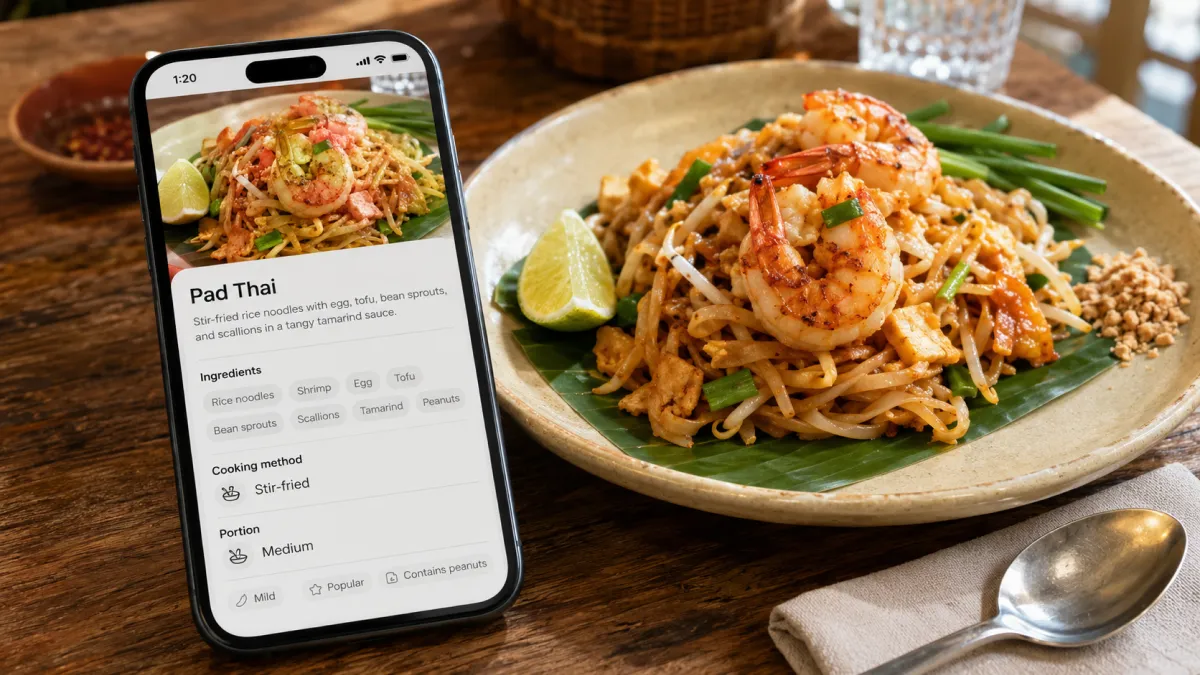
A guest may understand "iced milk tea" but choose the wrong sweetness. They may understand "noodle soup" but miss the protein choice. They may order "vegetarian" but not realize the sauce contains fish sauce.
Translate the choices that affect the final dish:
- size;
- protein;
- noodle type;
- rice or noodles;
- milk type;
- sweetness;
- spice level;
- doneness;
- toppings;
- sauce;
- side dish;
- set upgrade.
If the base item is translated but the options are not, the menu still fails at the moment the guest is trying to order.
A wrong-order audit for your menu
Use this audit before rewriting the whole menu.
Pick 20 items:
- your bestsellers;
- your highest-margin items;
- dishes tourists ask about most;
- dishes that are often returned, remade, or misunderstood;
- items with allergens or dietary sensitivity.
For each item, ask:
| Audit question | Fix if the answer is no |
|---|---|
| Can a first-time foreign guest understand what the dish is? | Add a plain description |
| Does the menu show the main ingredients? | Add the decision-making ingredients |
| Does it mention cooking method? | Add grilled, fried, steamed, stir-fried, raw, fermented, or served cold |
| Does it explain spice level? | Add a clear spice note |
| Does it show portion role? | Add snack, main, sharing, set, or serves count |
| Are allergens and dietary notes visible? | Add tags or concise notes |
| Are options translated? | Translate option-group labels and choices |
| Is there a useful photo? | Add a real photo for unfamiliar or high-value items |
| Can staff confirm the order quickly? | Add a repeat-back habit for risky items |
You do not need to fix 150 items at once. Fix the items that create the most confusion first.
Rewrite dish descriptions like an operator
Good menu descriptions are not long. They are specific.
Use this structure:
Dish identity + main ingredients + cooking method + flavor or spice cue + risk note if neededExamples:
| Weak menu text | Better menu text |
|---|---|
| Local spicy salad | Green papaya salad with lime, chili, fish sauce, tomato, long beans, and peanuts. Spicy by default. |
| Fried fish | Deep-fried whole sea bass with garlic, herbs, and spicy seafood dipping sauce. Good for sharing. |
| Curry noodles | Khao soi: Northern Thai coconut curry noodle soup with chicken, crispy noodles, and pickled mustard greens. |
| Seafood sauce | Spicy Thai lime, chili, garlic, coriander, and fish sauce dipping sauce. |
| Pork set | Grilled pork skewers with sticky rice and tamarind dipping sauce. Includes 5 skewers. |
The better text does not sound like a marketing brochure. It sounds like a restaurant that knows what guests need to decide.
For wording you can adapt item by item, use these 20 Thai-English menu description examples. Each pair includes a recipe note, and the blank template helps you check ingredients and serving arrangements with your kitchen.
Use photos where words are not enough
Photos are most useful when the dish is unfamiliar, high-value, visual, or often misunderstood.
Use photos for:
- signature local dishes;
- seafood;
- grilled items;
- set menus;
- desserts and drinks;
- sharing platters;
- dishes with unusual texture;
- items tourists often ask about.
Do not use photos for everything if the photos are weak. A bad photo can create the same problem as a bad translation: the guest expects one thing and receives another.
Good menu photos should:
- show the actual dish;
- use natural light when possible;
- show portion size honestly;
- avoid stock images;
- avoid ingredients that are not included;
- match the dish description;
- be updated when plating changes.
Research on menu pictures suggests that photos can improve attitudes, willingness to pay, and purchase intention when they work with clear descriptive names. The practical lesson is simple: a photo helps most when the text is already clear.
Treat allergen and dietary notes as safety information
For some guests, a wrong order is not just disappointing. It can be dangerous.
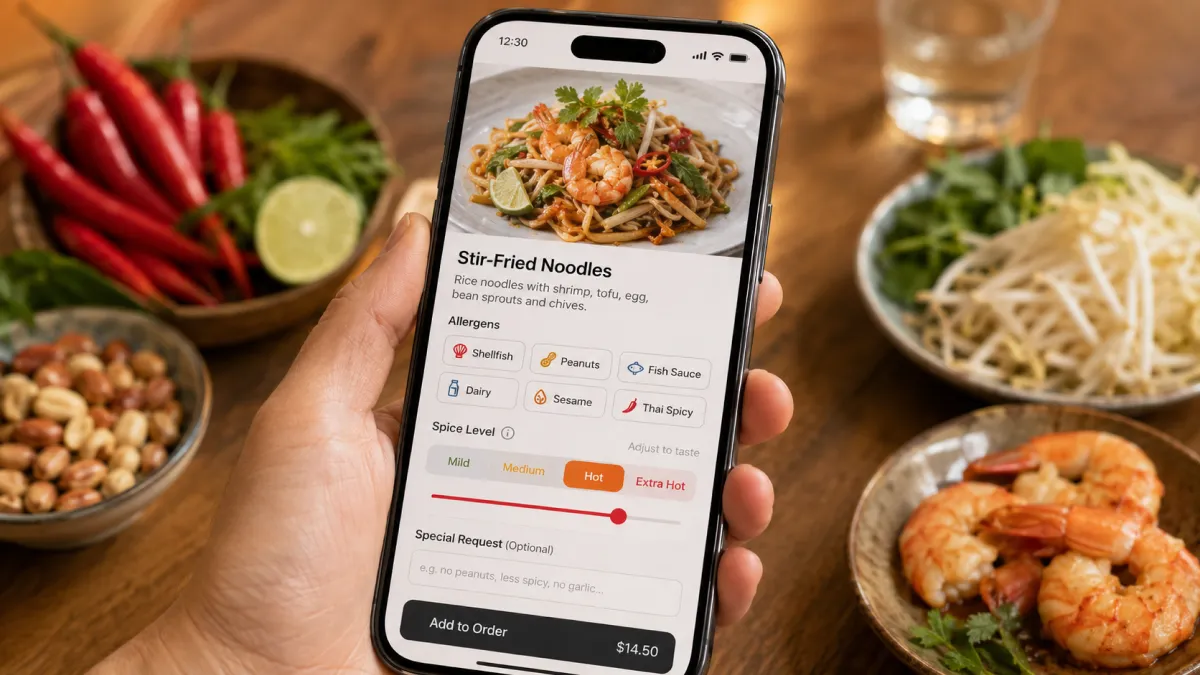
The FDA identifies nine major food allergens in the United States: milk, eggs, fish, crustacean shellfish, tree nuts, peanuts, wheat, soybeans, and sesame. EU guidance requires information on 14 allergens to be clearly provided when used as ingredients, including in non-prepacked foods such as restaurant meals. Local law varies by country, but the operating principle is the same: guests need accurate information before they order.
A tourist menu should make high-risk information easy to scan:
- contains peanuts;
- contains shellfish;
- contains fish sauce;
- contains milk or dairy;
- contains egg;
- contains wheat or gluten source;
- contains soy;
- contains sesame;
- contains pork;
- contains alcohol;
- raw or undercooked;
- vegetarian option available;
- vegan option available only if the kitchen can support it;
- halal-friendly only if the claim is operationally true;
- prepared in a kitchen that also uses common allergens.
Avoid overpromising. "No peanuts added" may be safer than "peanut-free" if peanuts are used elsewhere in the kitchen. "Gluten-sensitive" may be more honest than "gluten-free" if soy sauce, shared fryers, or wheat noodles are present.
For iMango, this is why owner review matters. Menu photo import and translation can help create draft content, but safety, dietary, halal, vegan, vegetarian, pork-free, alcohol-free, and similar claims should stay under restaurant review before publishing.
Train staff to confirm the risky parts
Menu clarity reduces staff work, but it does not remove hospitality.
Staff should confirm the parts most likely to cause wrong orders:
- spice level;
- protein choice;
- hot or iced;
- dairy or non-dairy milk;
- pork, beef, seafood, or vegetarian;
- allergy-sensitive items;
- raw or fermented ingredients;
- large sharing portions;
- expensive specials.
Use short confirmation language:
"This one is very spicy. Is that okay?"
"This dish contains fish sauce and peanuts. Is that okay?"
"You chose shrimp, medium spicy, and regular size. Correct?"
"This is a sharing plate for two to three people."
The goal is not to interrogate the guest. The goal is to catch the predictable mistake before the kitchen starts cooking.
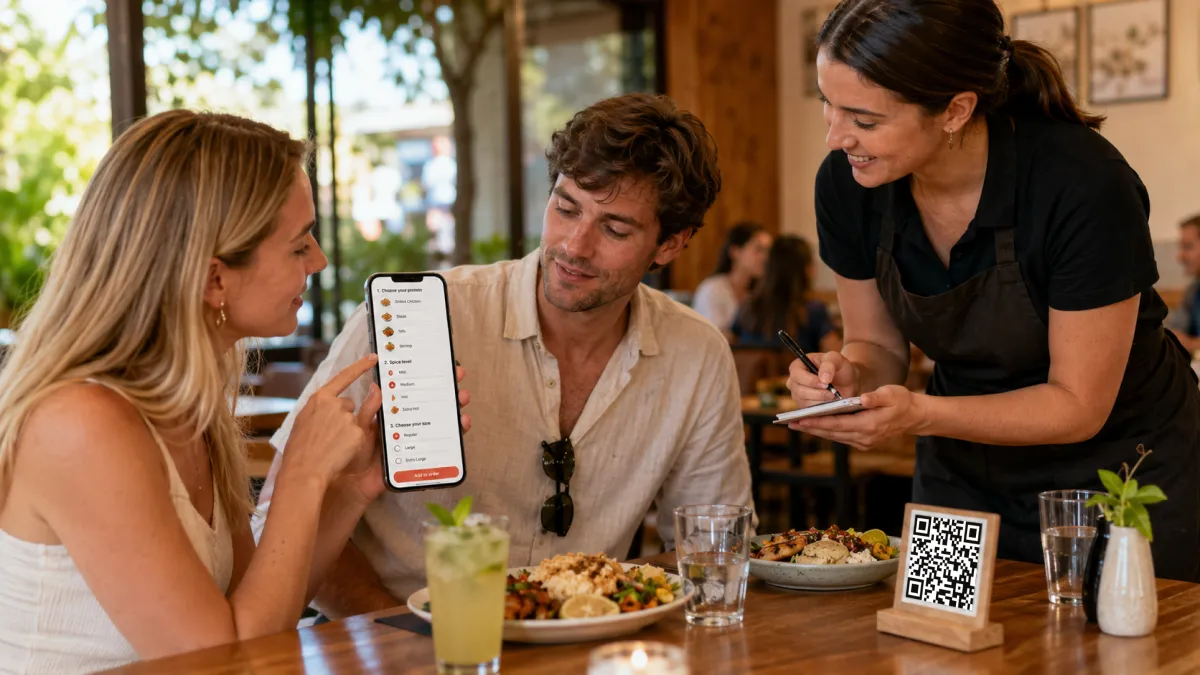
Why a digital QR menu helps more than a printed translation
Printed translations can work for a stable menu. They break down when the restaurant changes.
| Printed or PDF menu | Mobile-first QR menu |
|---|---|
| Reprinting is required after edits | One edit updates the live menu |
| Language versions drift apart | Translations live beside the base item |
| Sold-out items stay visible | Items can be hidden or marked quickly |
| Photos are hard to change | Item photos can be updated one by one |
| Options are often squeezed into small text | Option groups can be structured clearly |
| Guests pinch and zoom on phones | The menu is built for mobile browsing |
| Staff explain the same confusion repeatedly | The menu answers more questions before ordering |
A QR code is not the solution by itself. A QR code that opens a hard-to-read PDF can still cause wrong orders. The better setup is a mobile-first menu with structured items, language switching, photos, descriptions, options, and safety notes.
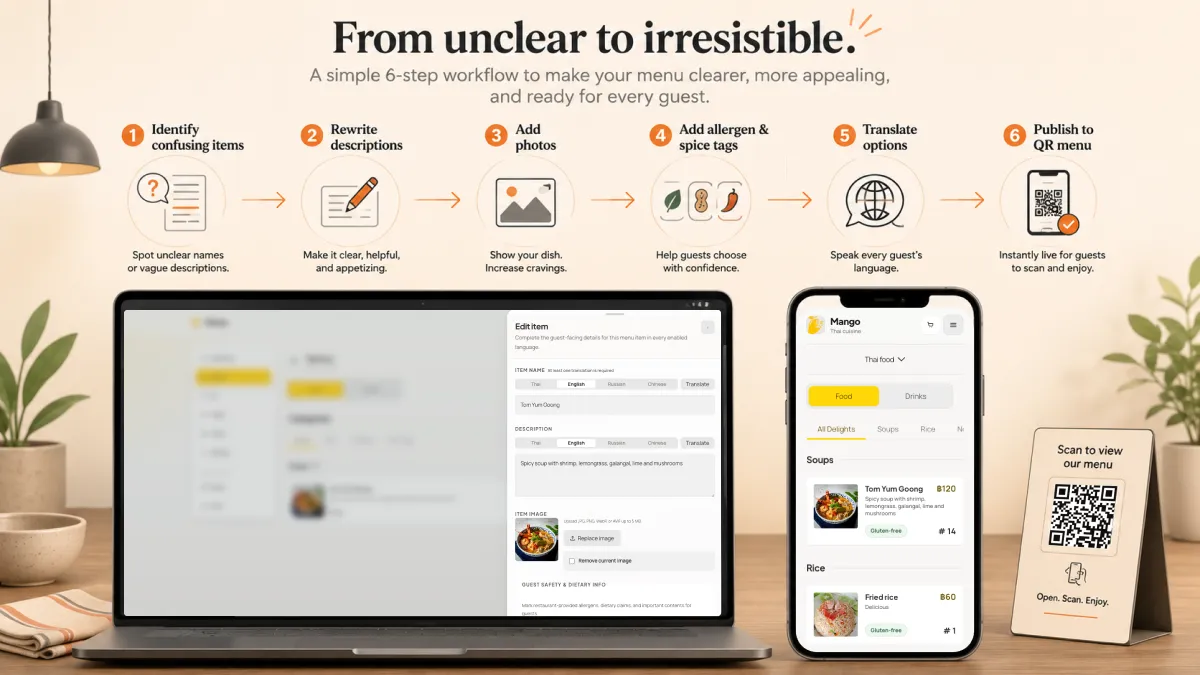
iMango is designed for that workflow. A restaurant owner can keep a stable public QR menu, edit menu content in the admin workspace, add item photos, manage translations for enabled languages, structure options, and update the live public menu without reprinting every time a dish changes. When the service flow is ready, a QR ordering system can add table ordering on top of the same menu.
That matters because wrong orders often come from stale information. A dish changes. A sauce changes. A price changes. A menu item sells out. A printed translation may stay wrong for weeks. A digital menu can be corrected the same day.
A simple implementation plan for restaurants
Start small. Fix the part of the menu that creates the most wrong orders.
Step 1: List the repeated mistakes
Ask staff:
- Which items do tourists point to but misunderstand?
- Which dishes are sent back or left uneaten?
- Which options are chosen incorrectly?
- Which allergens or dietary questions come up every week?
- Which dishes need the longest explanation?
This gives you the real content priority.
Step 2: Rewrite the top 20 risky items
For each item, add:
- plain description;
- main ingredients;
- cooking method;
- spice level;
- portion cue;
- allergen or dietary note;
- real photo if it helps.
Step 3: Translate categories, items, descriptions, and options
Do not translate only dish names. Translate the whole ordering path.
For many Thai tourist restaurants, a practical starting point is Thai and English, then Chinese or Russian depending on location. iMango supports 15 restaurant menu content languages, so owners can start with the languages most likely to affect orders and add more when the plan allows.
Step 4: Review sensitive content manually
Review:
- allergens;
- dietary claims;
- local dish names;
- spice levels;
- expensive items;
- raw or fermented ingredients;
- cultural terms that may not translate cleanly.
AI and translation tools can help draft, but the restaurant should own the final meaning.
Step 5: Add confirmation prompts to staff habits
Do not make staff explain the whole menu. Ask them to confirm only the risky parts.
Step 6: Keep improving from real questions
Every repeated guest question is a menu edit.
If guests ask "What is this?", rewrite the description. If they ask "Is it spicy?", add a spice note. If they point at photos more than descriptions, improve the photos. If they misunderstand add-ons, translate the options.
The menu should get smarter every week.
Common mistakes to avoid
Blaming the guest
If many guests make the same mistake, the menu is probably unclear.
Translating only names
A translated dish name without ingredients, cooking method, and spice level still leaves too much guessing.
Using machine translation without review
Automated output can be a useful draft, but menu translation touches safety, culture, and price trust.
Hiding allergies in a long disclaimer
Guests with food allergies scan quickly. Use visible tags and concise notes.
Using beautiful but misleading photos
The photo should match the actual dish. Otherwise, it creates a new wrong-order problem.
Keeping a PDF behind the QR code
A PDF is often hard to read on a phone, hard to update, and weak for language switching.
Adding too many languages at once
Every language needs maintenance. Start with the languages that affect real orders.
The bottom line
Foreign customers order the wrong food when the menu asks them to guess.
A better menu removes guessing. It explains what the dish is, what is inside it, how it is cooked, how spicy it is, how big it is, what can be changed, and whether it fits the guest's diet. It uses real photos where words are not enough. It keeps translations editable. It gives staff the right moments to confirm.
For tourist restaurants, this is not only better hospitality. It is better operations: fewer remakes, fewer awkward conversations, less staff translation pressure, and more confidence for guests who came to try the food.
FAQ
Why do foreign customers order the wrong food?
Foreign customers often order the wrong food because the menu lacks context. The dish name may be translated literally, the cooking method may be unclear, the spice level may be missing, the photo may be absent, or options such as protein, size, sweetness, and toppings may not be translated.
How can restaurants prevent tourists from ordering the wrong dish?
Restaurants can prevent wrong orders by adding clear translated descriptions, ingredients, cooking methods, spice levels, portion cues, allergen notes, real photos, translated option labels, and short staff confirmation for risky items.
Should restaurants keep local dish names or translate them?
Restaurants should often keep the local dish name and add a plain explanation. For example, "Khao soi" can stay on the menu, but it should be followed by "Northern Thai coconut curry noodle soup with chicken, crispy noodles, and pickled mustard greens."
Are food photos enough to stop wrong orders?
No. Photos help, especially for unfamiliar dishes, but they work best with clear descriptions. A guest needs to know what the dish looks like and what is inside it.
Is a QR menu better than a printed translated menu?
A QR menu is usually better when the restaurant changes prices, items, photos, options, or translations often. A mobile-first QR menu can be updated without reprinting, while a printed translation can become inaccurate quickly.
How should restaurants handle allergens for foreign guests?
Restaurants should show allergen and dietary notes clearly, avoid unsupported claims, and train staff to confirm severe allergy questions. Common risk areas include peanuts, shellfish, fish sauce, dairy, eggs, wheat, soy, sesame, pork, alcohol, and cross-contact.