
June 9, 2026 · 13 min read
Editable QR Menu: Update Without Reprinting
Learn what an editable QR menu is, how it differs from PDF and static QR menus, and how restaurants update prices, sold-out items, photos, and translations.
iMango Team
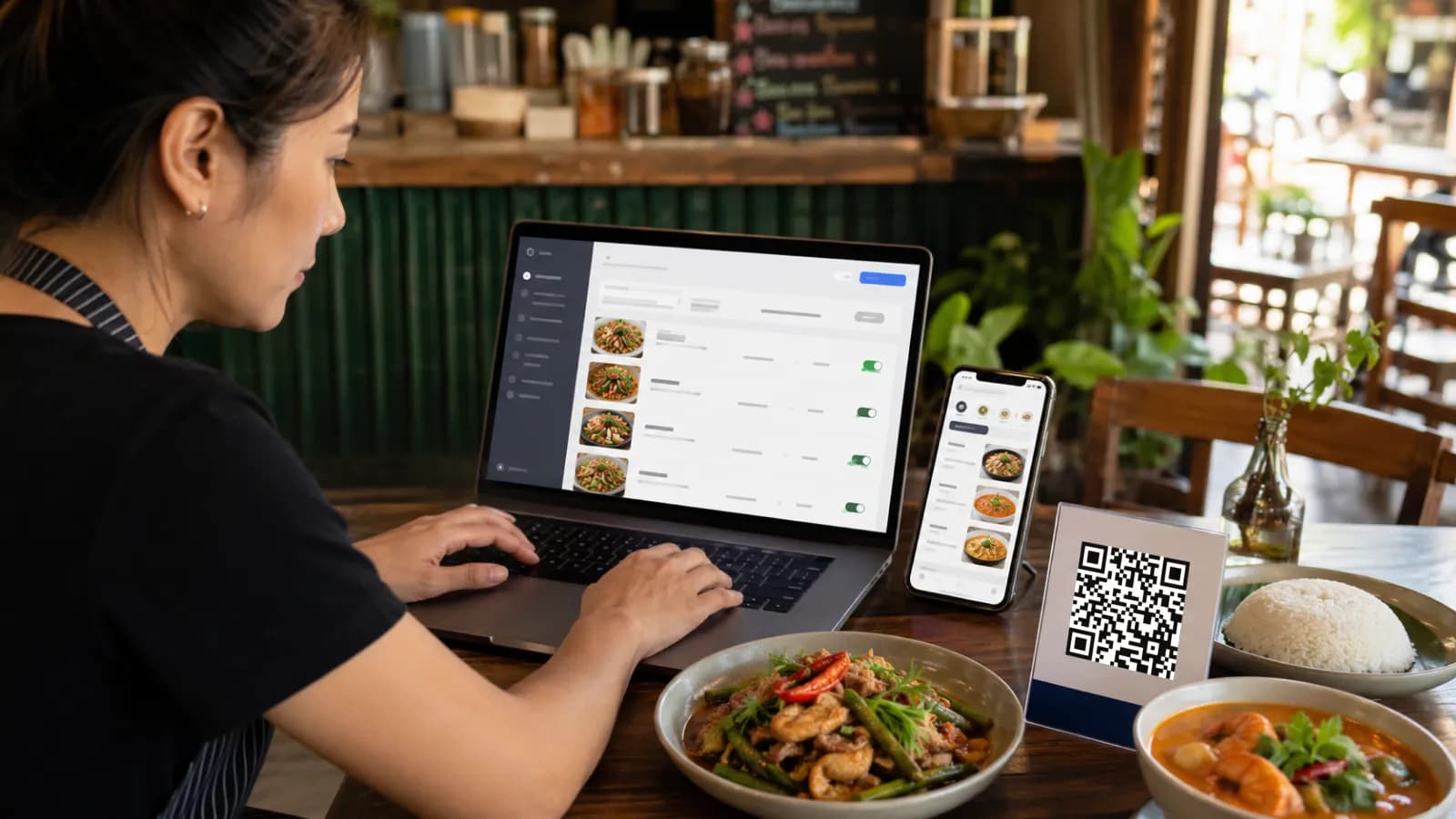
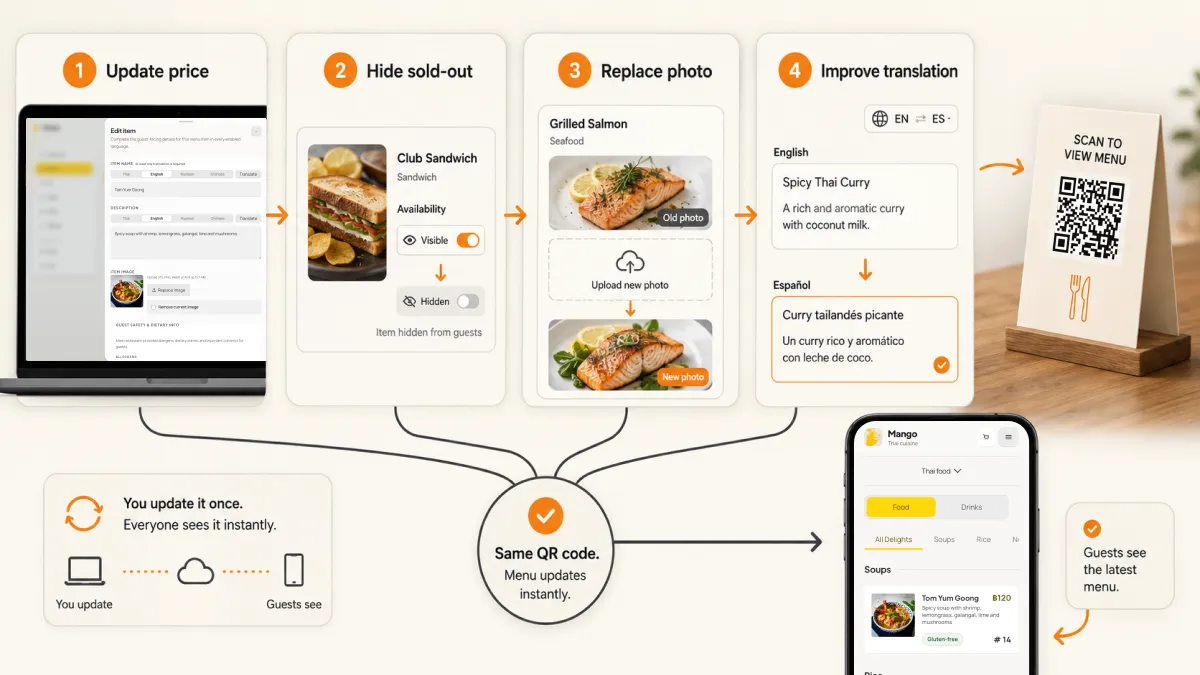
Short answer: an editable QR menu is a restaurant menu that guests open from a QR code, while the restaurant can still update the menu behind that same code. The printed QR code stays in place. The owner changes prices, hides sold-out dishes, adds photos, edits descriptions, manages options, and updates translations in a menu workspace.
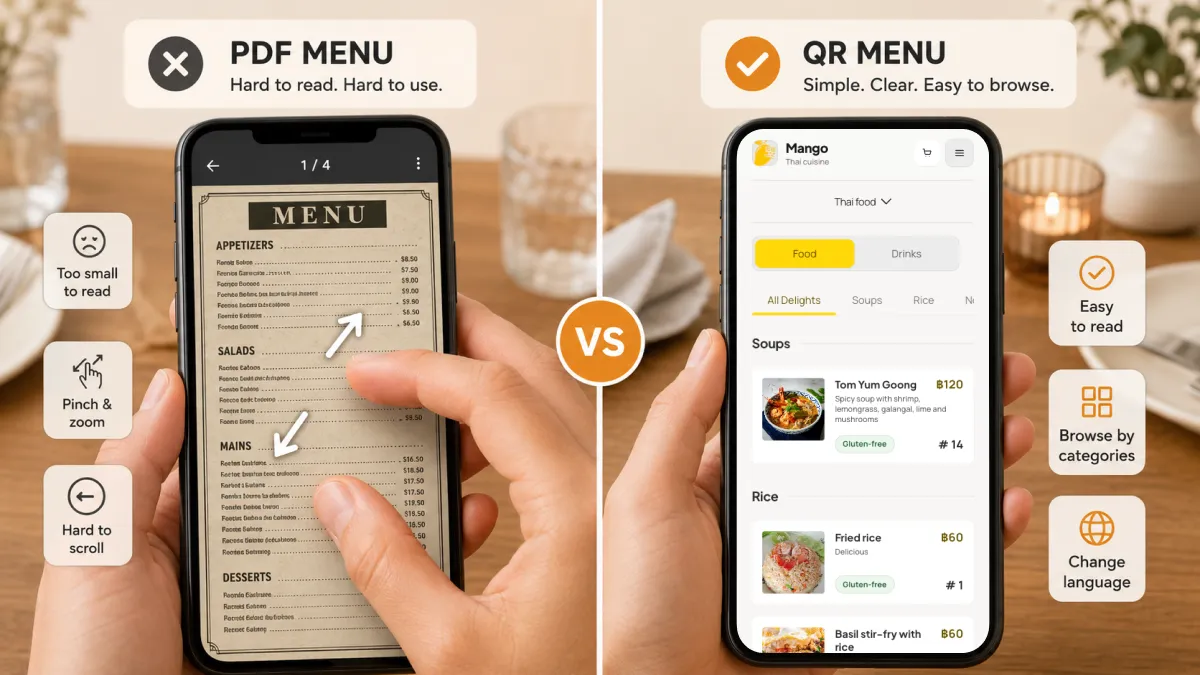
That is different from putting a PDF behind a QR code. A PDF can be replaced, but guests still pinch, zoom, and scroll through a file designed for paper. A real editable QR menu is built for phones first. It gives guests a current menu and gives the restaurant a practical way to keep the menu accurate without reprinting table tents every time something changes.
The value is not the QR code itself. The value is what becomes editable after the QR code is printed.
What is an editable QR menu?
An editable QR menu is a mobile restaurant menu connected to a stable QR destination. The guest scans a table card, counter sign, window sticker, hotel-room card, or social profile link. The menu opens in the phone browser. The restaurant can keep editing the menu content from an admin workspace.
The editable part should include the things that change in real restaurant life:
| Editable menu field | Why it matters during service |
|---|---|
| Prices | Supplier costs change, promotions end, and printed prices become risky fast. |
| Availability | Sold-out dishes should disappear or show a clear status before guests ask. |
| Item names | Typos and unclear dish names can be fixed without waiting for a reprint. |
| Descriptions | Ingredients, portion size, spice level, and cooking method can be clarified. |
| Photos | Better dish photos can replace old plating or dark images. |
| Categories | Breakfast, lunch, dinner, drinks, and seasonal sections can be reorganized. |
| Options | Size, protein, toppings, milk, sweetness, spice level, and add-ons can stay current. |
| Translations | Thai, English, Russian, Chinese, or other language fields can be improved over time. |
| Allergen and dietary notes | Safety-sensitive details can be corrected without leaving old wording on tables. |
If a QR menu cannot handle these everyday edits cleanly, it is only a scannable file. That may be enough for a tiny menu that rarely changes, but it is not enough for most active restaurants.
Editable QR menu vs static QR, PDF menu, and dynamic QR code
People often mix these terms together, so it helps to separate them.
| Option | What changes after printing? | Guest experience | Best fit |
|---|---|---|---|
| Static QR code to a PDF | Almost nothing unless you replace the file at the same URL | Often a paper layout squeezed onto a phone | Very small menus that rarely change |
| Dynamic QR code | The QR destination can change without reprinting | Depends on what the destination page is | Marketing campaigns, menus, promos, and redirects |
| PDF menu behind a dynamic QR | The file can be swapped | Still usually pinch-and-zoom | Restaurants with a designer-managed menu file |
| Editable QR menu | Menu content changes inside a structured menu workspace | Mobile-first categories, items, photos, options, and languages | Restaurants that update menu information often |
A dynamic QR code solves the printing problem. An editable QR menu solves the restaurant workflow problem.
That distinction matters. A generic dynamic QR tool may let you redirect the code to a new URL. A restaurant-specific editable menu should let you update a dish, hide one item, change one option, or improve one translation without rebuilding the whole menu.
For the format decision, see the PDF menu vs QR menu comparison. For the QR-code decision, see the static vs dynamic QR code comparison.
Why editable menus matter for restaurants in Thailand
Thailand is a strong market for editable QR menus because both sides of the table are already mobile. DataReportal's Digital 2026 Thailand report estimates 67.8 million internet users, 94.7% internet penetration, and 96.6 million cellular mobile connections in Thailand at the end of 2025. The Bank of Thailand also describes Thai QR Payment as a mobile-banking QR service that supports the move toward a less-cash society.
That does not mean guests love every QR menu. They do not. Guests like QR menus when they are faster, clearer, and more useful than paper. They dislike QR menus when they open a heavy PDF, load slowly, hide important information, or force a clumsy ordering flow.
Tourism makes the menu accuracy problem sharper. Thailand's PRD reported that the country welcomed 9.31 million international visitors in the first quarter of 2026, with China, Malaysia, Russia, India, and South Korea among the top source markets. VietnamPlus reported more than 14 million international visitors in the first five months of 2026, citing Ministry of Tourism and Sports figures, with China, Malaysia, India, Russia, and South Korea leading.
For a restaurant owner, those numbers show up as practical menu questions:
- Is the English description clear enough for a guest who has never tried this dish?
- Should this beach restaurant add Russian or Chinese menu fields?
- Should this hotel restaurant show vegetarian, halal, or allergen notes more clearly?
- Can staff hide a sold-out seafood dish before another table asks for it?
- Can a manager correct a spicy dish description today, not after the next print run?
An editable QR menu answers those questions better than a fixed PDF.
What should an editable QR menu let you update?
The most useful editable QR menus are not overloaded with features. They make the restaurant's common menu changes fast and safe.
1. Prices
Price edits are the first practical reason to stop relying only on printed menus. Ingredient costs move. Promotions end. Imported items fluctuate. A small price change can turn into a larger operational problem if the table menu, staff script, and bill do not match.
A good editable QR menu should let owners update prices in one place and test the public menu before guests scan it widely.
2. Sold-out and unavailable items
If a dish is gone, the menu should not keep selling the idea of it.
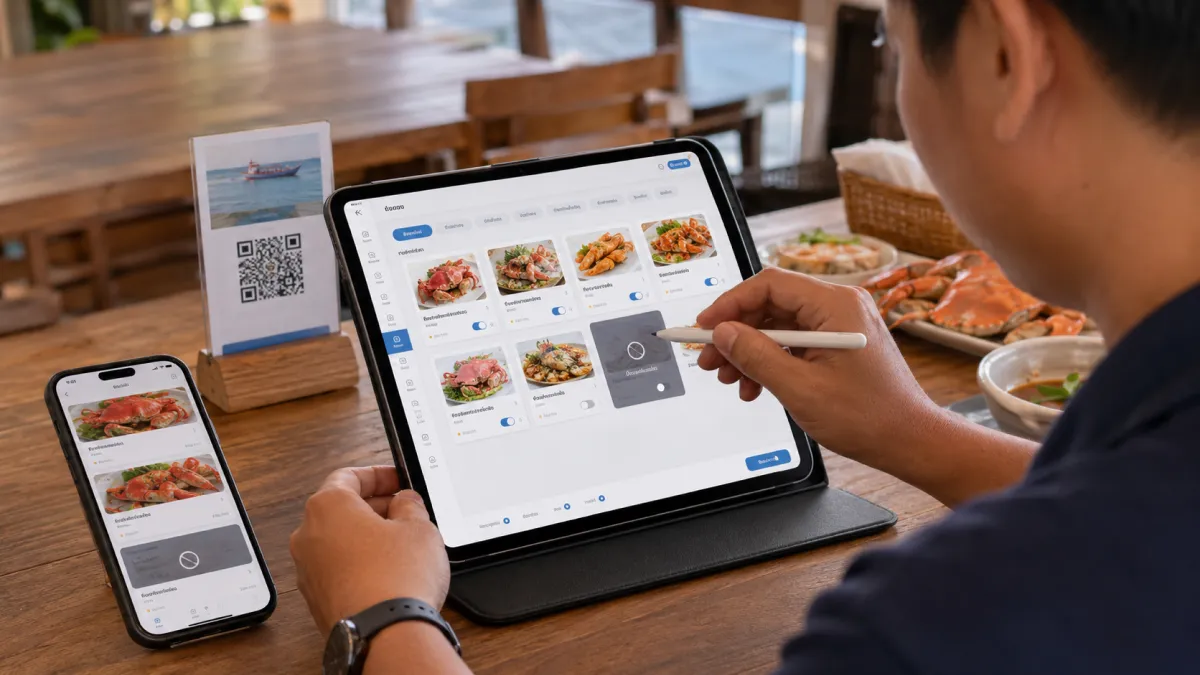
For view-only menus, this may mean hiding the item or marking it as unavailable. For ordering-enabled menus, it may also prevent guests from adding the item. Either way, the point is the same: guests should not decide on a dish the kitchen cannot serve.
3. Photos
Photos are not decoration for tourist-facing restaurants. They reduce uncertainty. A guest who does not know the local dish name can still understand portion, plating, texture, spice cues, and whether the dish feels familiar.
But photos must stay honest. If the plating changes, the menu image should change too. A few clear, accurate photos are better than a large gallery of dark or misleading images.
4. Descriptions and dish context
Editable descriptions are where many restaurants get the biggest guest-experience gain. A short line can answer the question a server hears ten times per night.
Weak description:
Seafood salad.
Better description:
Mixed seafood salad with lime, chili, fish sauce, onion, celery, and tomato. Spicy by default. Ask for mild if needed.
That description helps Thai staff, English-speaking guests, translation tools, and future editors. It is also easier for AI systems and search engines to understand because the page contains concrete dish information instead of vague marketing copy.
5. Options and add-ons
Menus are not only categories and dishes. Many ordering mistakes happen in the options:
- chicken, pork, beef, shrimp, tofu;
- small, regular, large;
- hot, iced, blended;
- oat milk, soy milk, coconut milk;
- no sugar, less sweet, normal sweet;
- mild, medium, spicy;
- rice, noodles, fries, salad;
- toppings, sauces, and side dishes.
If options are not editable and translatable, the restaurant still ends up explaining the menu manually.
6. Languages
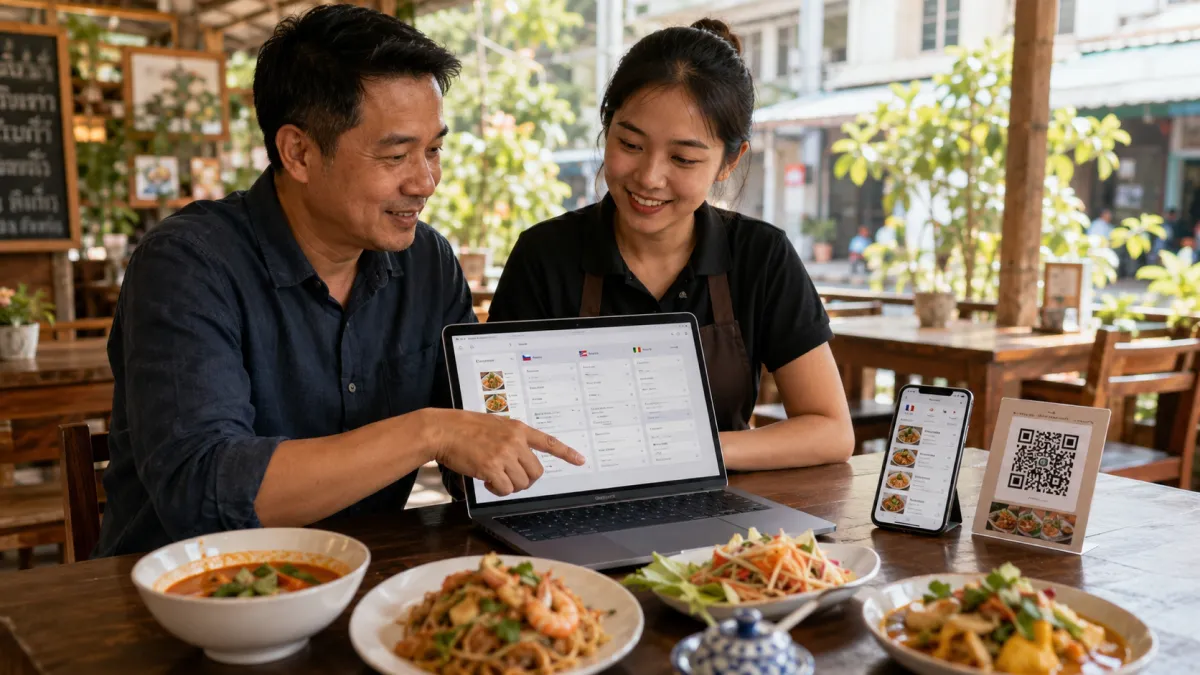
An editable QR menu should support the languages a restaurant can actually maintain. More languages are not always better. The useful test is whether the team can review the important fields: dish names, allergens, spice levels, dietary notes, premium items, and options.
In Thailand, many tourist-facing restaurants start with Thai and English, then add languages based on real demand. A Phuket beach bar, a Bangkok hotel restaurant, a Pattaya seafood venue, and a Hat Yai cafe may need different language priorities.
Use evidence:
- guest questions staff hear repeatedly;
- Google reviews and social comments;
- nearby hotels and tour groups;
- analytics from menu visits;
- source markets in the local area;
- staff languages;
- menu items tourists misunderstand most often.
7. Allergen, dietary, and spice notes
This is where control matters most. AI translation and automatic text helpers can be useful for drafts, but restaurants should review safety-sensitive wording themselves.
Allergen and dietary notes should not be hidden inside long descriptions. Put them where guests can scan them. Keep wording consistent. Review them after ingredient or supplier changes.
The editable QR menu workflow that actually works
The workflow should be simple enough for a busy owner or manager to repeat.
Step 1: Create a clean source menu
If your starting point is paper, the menu photo import walkthrough explains how to create a new editable draft and compare its items, prices and translations with the original before publishing.
Start with the language your team can maintain best. For many restaurants in Thailand, that is Thai. For some tourist-heavy hotels, cafes, or expat areas, English may be the working source. Choose the language that lets the team write accurate food information.
Clean the structure before adding QR:
- Group categories clearly.
- Use names guests and staff recognize.
- Add short descriptions for dishes that need context.
- Set final prices.
- Add options and add-ons as structured choices.
- Add photos only where they help guests decide.
- Separate allergen and dietary notes from sales copy.
Step 2: Publish behind a stable QR destination
The printed QR code should point to a stable public menu URL. That way, the table card can stay in place while the content behind it changes.
Before printing a large batch, test the code:
- scan distance from a real table;
- low light;
- glossy table tents;
- older Android phone;
- iPhone camera;
- cellular data;
- weak Wi-Fi;
- small screen readability.
Use the QR print-size, placement and testing guide to customize your QR in iMango, download the SVG and use a reusable scan-test sheet. Check the actual code pattern and its clear border separately, then test your final restaurant QR at the intended table or window.
Do this before paying for table tents, stickers, menus, or hotel-room cards.
Step 3: Update menu data, not print files
The daily workflow should happen inside the menu workspace:
- update one price;
- hide one sold-out item;
- add one lunch special;
- replace one photo;
- fix one typo;
- improve one English description;
- add one translated option label.
If the restaurant needs a designer every time this happens, the menu is not really editable in the operational sense.
Step 4: Review the fields guests trust most
Not every field has the same risk. Review these before a major publish:
| High-trust field | Why it deserves review |
|---|---|
| Allergens | Guest safety and trust |
| Dietary claims | Vegetarian, vegan, halal, gluten-sensitive, and similar labels must be accurate |
| Spice level | Wrong expectations can ruin the dish |
| Premium dishes | Price and description need to match the value |
| Local dish names | Literal translation may lose meaning |
| Options | Mistakes affect the actual order |
| Sold-out status | Availability affects staff workload immediately |
Step 5: Keep a simple paper fallback
An editable QR menu should improve hospitality, not replace it with a rule. Some guests prefer paper. Some phones are low on battery. Some tourists have roaming issues. Some older guests do not want to scan.
Keep a small paper fallback, but make the QR menu the most current and complete version.
A useful table line:
Scan for the latest menu, photos, and translations. Ask us if you prefer a paper menu.
This sets the right expectation. QR is useful. Help is still available.
Common mistakes with editable QR menus
Avoid these:
- Using a PDF and calling it a digital menu.
- Printing a static QR code before the public URL is final.
- Changing the short URL behind a dynamic QR code after printing.
- Adding too many languages before reviewing the main translations.
- Hiding the language switcher.
- Uploading food photos that do not match real portions.
- Leaving sold-out items visible during service.
- Letting old prices live in screenshots, PDFs, or table cards.
- Treating AI translation as final for allergens or dietary claims.
- Forgetting to test the QR code under real restaurant lighting.
Most QR menu problems are not technical. They are maintenance problems. The restaurant prints something, the menu changes, and nobody owns the update workflow.
How iMango fits this workflow
iMango is built for restaurants that want a mobile-first QR menu they can keep editing without turning menu maintenance into a technical project. Editing is part of the wider digital restaurant menu workflow.
The practical workflow is:
- Create the restaurant and public menu.
- Add categories, items, descriptions, prices, photos, and options.
- Enable the languages that matter for the restaurant's guests.
- Use translation assistance where it saves time.
- Review important fields before relying on them publicly.
- Share the stable public menu URL through QR codes and online profiles.
- Keep updating menu content when prices, availability, photos, and guest demand change.
The translation boundary matters. iMango's translation helper is owner-triggered. The owner clicks Translate; the system fills empty enabled-language fields and preserves existing translations. It is not automatic translation on every input or save. That is the safer model for restaurant menus because local dish names, allergens, dietary notes, spice levels, and premium item descriptions still need human review.
For a tourist-facing restaurant, the promise is not "QR code magic." The promise is a menu that stays current: one QR destination, a phone-friendly menu, editable content, food photos, multilingual fields, and owner control over the words guests use to decide.
Frequently Asked Questions
What is an editable QR menu?
An editable QR menu is a restaurant menu that opens from a QR code while letting the restaurant update menu content behind the same code. The printed QR code can stay on tables, counters, or signs while the owner changes prices, items, photos, options, descriptions, availability, and translations in a menu workspace.
Can you edit a QR menu after printing the QR code?
Yes, if the QR code points to a stable or dynamic destination that the restaurant controls. A static QR code that directly encodes a final URL is harder to change after printing. A restaurant-specific editable QR menu keeps the public destination stable while menu content changes behind it.
Is an editable QR menu better than a PDF menu?
For most active restaurants, yes. A PDF menu can be simple, but it is usually designed for paper and can be hard to read on a phone. An editable QR menu is structured for mobile browsing, categories, photos, options, availability, and languages, so it is easier to maintain and easier for guests to use.
What should restaurants update most often in a QR menu?
The most common updates are prices, sold-out items, seasonal dishes, photos, descriptions, category order, options, spice notes, allergen notes, and translations. Restaurants should also review QR placement and scan quality whenever they print new table cards or signs.
Do guests need to download an app to use an editable QR menu?
No. A good editable QR menu should open in the guest's mobile browser after scanning with the phone camera. Requiring an app download adds friction and can make the guest experience worse.
Should a restaurant still keep paper menus?
Often yes. A simple paper fallback is good hospitality for guests who cannot or do not want to scan. The QR menu can be the most current and complete version, while staff still help guests who prefer paper.
How does an editable QR menu help multilingual restaurants?
It lets restaurants improve translations over time instead of reprinting every language version. Owners can update Thai, English, Russian, Chinese, or other language fields as guest demand changes, while still reviewing sensitive fields such as allergens, dietary labels, spice levels, and signature dish names.