
May 5, 2026 · 15 min read
Why QR Menus Are Essential for Restaurants in 2026
QR menus are essential in 2026 because they cut menu friction, support tourists, update instantly, and help restaurants sell smarter without app downloads.
iMango Team
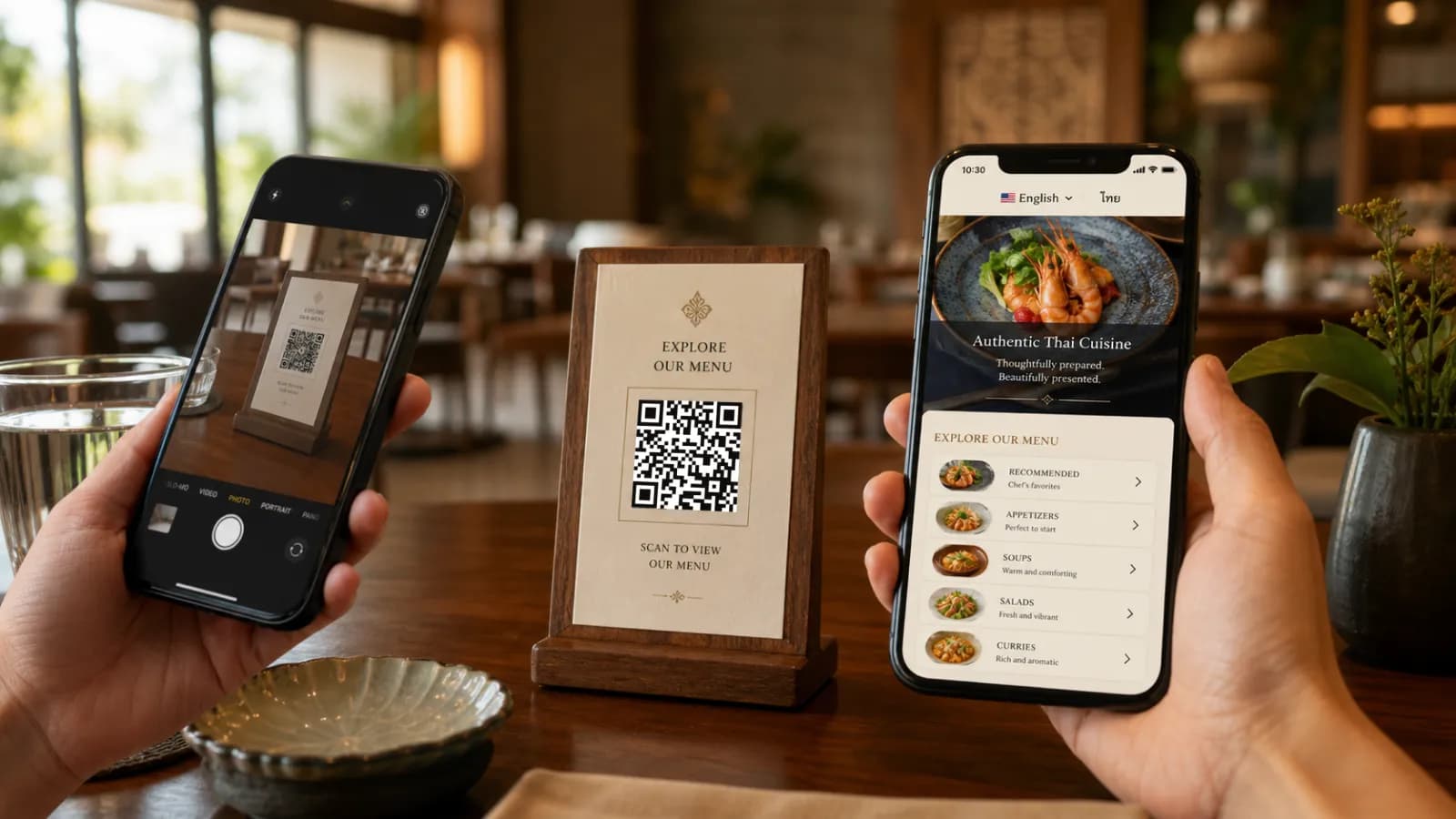
Short answer: QR menus are essential in 2026 because restaurants need menus that can change as fast as prices, stock, staffing, tourist demand, and guest expectations change. A good QR menu is not a PDF behind a code. It is a mobile-first digital menu that updates instantly, works in multiple languages, helps guests decide faster, and gives the restaurant a cleaner way to manage what people see at the table.
The best restaurants in 2026 are not using QR menus because paper disappeared. They are using them because paper alone cannot keep up.
Food costs move. Staff changes. Dishes sell out. Tourists arrive with phones set to English, Thai, Chinese, Russian, Korean, Japanese, German, or Arabic. Guests want to check photos, ingredients, allergens, and prices without waiting for a server to explain every item. Operators want fewer printing mistakes, fewer "sorry, that price changed" moments, and a faster way to test what sells.
That is the real case for QR menus. Not novelty. Not hygiene theater. Operational control.
Restaurant technology has moved from "nice to have" to daily infrastructure
In 2026, restaurants are under pressure from both sides: guests expect faster, clearer digital experiences, while operators face higher costs and tighter margins. The National Restaurant Association's 2026 industry outlook points to continued investment in digital ordering, automation, and data analytics as restaurants look for efficiency and stronger guest connections.
A QR menu is one of the smallest pieces of that technology stack, but it touches the most visible moment in the restaurant: the menu decision.
That moment matters. A guest who cannot read the menu, cannot understand a dish, cannot see whether something is spicy, or cannot tell whether an item is available is less likely to order confidently. A guest who can browse clear categories, photos, translations, dietary notes, and options on their own phone can make a better decision with less pressure.
The point is not to replace hospitality. The point is to remove friction before hospitality is needed.
What makes a QR menu different from a PDF menu?
Many restaurants tried the cheapest version first: upload a PDF, generate a QR code, print it, and call it done. That works for a week. Then prices change, an item sells out, a typo appears, the PDF is hard to zoom on an older phone, and the restaurant is back to the same problem with a digital wrapper around it.
A modern QR menu is different:
| PDF behind a QR code | Modern QR menu |
|---|---|
| Hard to read on small screens | Built for mobile from the start |
| Usually one language | Supports multiple languages |
| Replaced manually after every edit | Edited in a workspace and published instantly |
| No structured item data | Categories, items, prices, options, photos, allergens |
| Poor search and navigation | Tap-friendly categories and item pages |
| No real insight | Can show views, language demand, and popular items |
If a QR menu still makes guests pinch and zoom, it is not a modern QR menu. It is a paper menu trapped inside a phone.
The key benefits of digitizing your menu experience
1. Instant updates without reprinting
The strongest reason to digitize a menu is simple: restaurants change constantly.
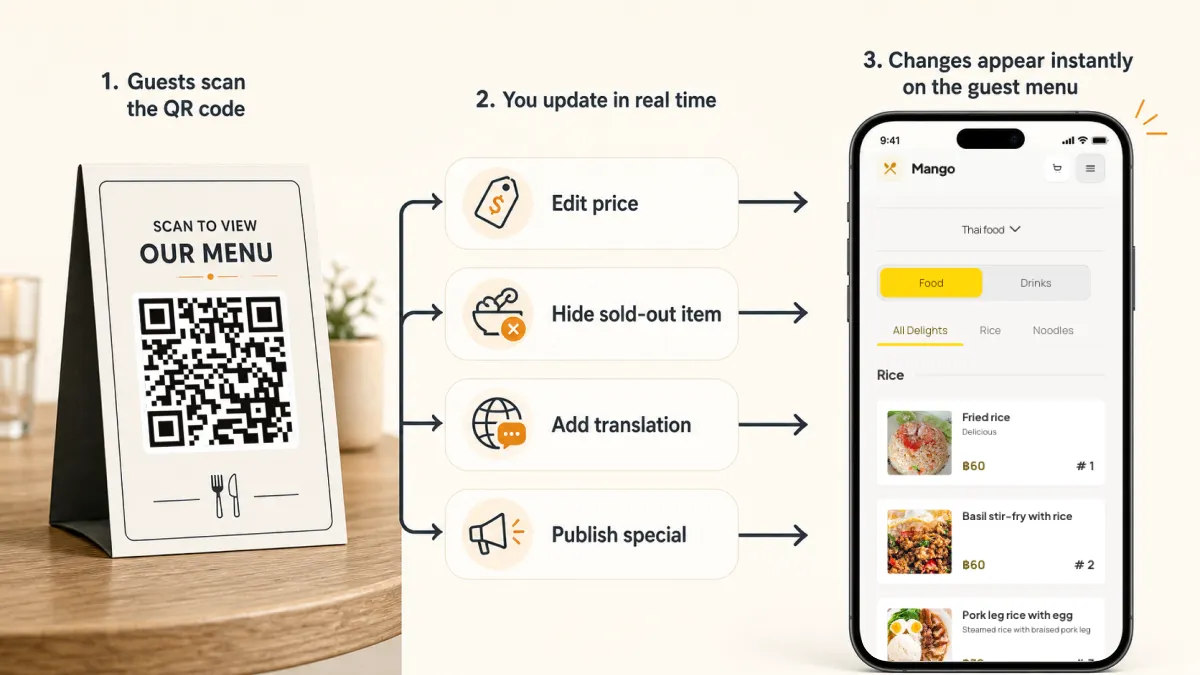
Prices change when ingredient costs move. Dishes become unavailable. Specials rotate. Seasonal items appear for a weekend and disappear on Monday. A printed menu makes every change expensive or awkward. A digital menu makes the change normal.
With a dynamic QR menu, the printed code stays the same while the menu behind it changes. That means the restaurant can:
- update prices before service;
- hide sold-out items immediately;
- add a lunch set, happy hour, or seasonal category;
- fix typos without reprinting;
- test a new dish description;
- publish translations after the base menu is already live.
That speed matters more in 2026 because customers are price-sensitive, staff are busy, and restaurants cannot afford avoidable confusion at the table.
2. A better experience for tourists and multilingual guests
For restaurants in Thailand, this is not a secondary feature. It is central.
Thailand welcomed 32.97 million international visitors in 2025, according to the Ministry of Tourism and Sports, with Malaysia, China, India, Russia, and South Korea among the top source markets. The Tourism Authority of Thailand is targeting 36.7 million foreign visitors in 2026. That means many restaurants are serving guests who may not read Thai and may not be comfortable ordering from an English-only menu either.
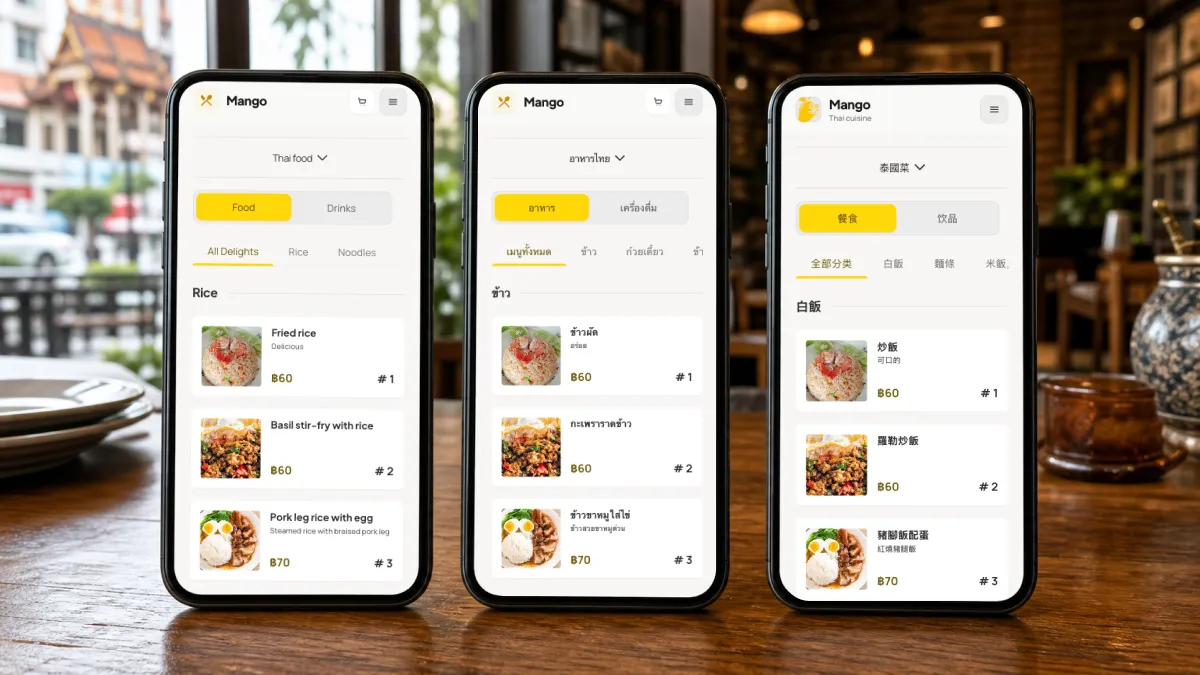
A multilingual QR menu helps because the guest does not need to ask staff to translate every dish. The menu can show item names, descriptions, allergens, option labels, spice levels, and notes in the guest's preferred language.
For tourist-heavy restaurants, the practical language stack often looks like this:
| Restaurant location | Minimum menu languages | Useful extra languages |
|---|---|---|
| Local Thai neighborhood | Thai + English | None, unless tourist traffic exists |
| Bangkok, Phuket, Pattaya, Chiang Mai | Thai + English | Chinese, Russian, Korean, Japanese |
| Hotel, resort, airport area | Thai + English | Chinese, Russian, Arabic, German, French |
| International cafe or bar | English + local language | Languages based on actual guest mix |
This is where a QR menu becomes a sales tool, not just an information tool. Guests are more likely to order unfamiliar, higher-margin dishes when they understand what they are.
3. More accurate menus and fewer awkward conversations
Few moments damage trust faster than a guest choosing something and hearing, "Sorry, that price is wrong" or "We don't have that today."
Digital menus reduce those moments because the restaurant can keep the visible menu closer to reality. If the mango sticky rice sells out, hide it. If the salmon price changes, update it. If the kitchen pauses a category after a rush, remove it temporarily.
This is especially useful for small teams. Staff should spend time welcoming guests, checking tables, and solving real service moments, not apologizing for outdated paper.
4. Better mobile decisions: photos, descriptions, allergens, options
The 2026 digital menu conversation is no longer just about access. It is about information quality.
Hospitality research on digital menu satisfaction points to the same direction: guests respond better when the menu reduces uncertainty and decision fatigue. In plain restaurant language, that means the menu should answer the questions guests already have:
- What is this dish?
- How big is it?
- Is it spicy?
- Does it contain peanuts, shellfish, milk, gluten, or sesame?
- Can I make it vegetarian?
- What options do I have?
- What does it look like?
- Is it available right now?
A strong QR menu does not need a long description for every item. It needs the right information in the right place.
Good item page:
- dish name;
- price;
- short description;
- clear photo for visual dishes;
- spice level;
- dietary tags;
- allergen notes;
- options such as size, toppings, milk type, sweetness, or doneness.
Weak item page:
- long generic story;
- no price until checkout;
- blurry photo;
- no allergen information;
- unclear options;
- no translation.
The difference is not aesthetic. It changes what people order.
5. Lower printing waste and fewer slow menu cycles
Printing is not the biggest cost in every restaurant, but it is one of the most annoying recurring costs because it comes with delay.
When a restaurant relies only on paper, every small change becomes a decision:
- Is this update worth reprinting?
- Should we cross out the old price?
- Should staff explain the change verbally?
- Should we wait until next month and live with the mistake?
That creates a slow menu culture. The restaurant stops improving the menu because improvement is inconvenient.
A digital menu changes the rhythm. The team can update the menu after service, review it on a phone, and publish it without waiting for a designer or printer. Paper menus can still exist for accessibility and hospitality, but they no longer have to carry every operational update.
6. Useful menu data without becoming a complicated tech project
Restaurants do not need a huge analytics setup to benefit from menu data. Even basic signals are useful:
- which QR codes are scanned most;
- which categories get the most attention;
- which items guests open often;
- which language is selected;
- whether window QR scans happen before guests enter;
- whether table QR scans increase during lunch, dinner, or weekends.
This kind of data helps owners make practical decisions. Move popular items higher. Improve descriptions for viewed-but-not-ordered dishes. Add a translation where demand exists. Put a QR code on the window if people scan before deciding to sit down.
The best data is not complicated. It answers the next operational question.
The feature checklist modern restaurants actually need
Not every QR menu platform is built for restaurants. Some are only QR generators. Some are PDF hosts. Some are ordering systems that force a workflow the restaurant does not need.
For most modern restaurants, the must-have features are:
| Feature | Why it matters |
|---|---|
| Dynamic QR code | The printed code keeps working after edits |
| Stable public URL | Guests and social profiles can reuse the same link |
| Mobile-first menu pages | No pinch-to-zoom, no PDF frustration |
| Multilingual content | Essential for tourist and international guests |
| Fast editing workspace | Owners can update prices and availability themselves |
| Photos per item | Helps guests choose unfamiliar dishes |
| Allergen and dietary notes | Builds trust and reduces staff explanation load |
| Option groups | Handles sizes, toppings, spice level, milk type, and add-ons |
| Table QR management | Useful for venues with many tables or zones |
| Simple analytics | Shows scans, views, and language demand |
| No app download | Guests should open the menu in their browser |
| Paper fallback support | Keeps the experience accessible and hospitable |
The most important phrase here is no app download. Guests should not install anything to read a menu. The scan should open a fast web page.
How to implement QR codes on your tables without frustrating guests
QR menus fail when the restaurant treats the code as the whole experience. The code is only the doorway. What matters is what happens before and after the scan.
Step 1: Clean the menu first
Do not digitize a messy menu. Remove old items, group categories properly, confirm prices, and decide which photos are worth showing. A clean QR menu starts with clean content.
Step 2: Build the digital menu in one base language
Start with the language your team controls best. For most Thai restaurants, that is Thai. For international restaurants, it may be English. Make the base menu accurate before translating it.
Step 3: Add translations where they actually help
Do not add 12 languages just to look global. Add the languages your guests use. In Thailand, English is usually the first translation. Chinese, Russian, Korean, Japanese, Arabic, German, or French may make sense depending on location.
Step 4: Generate a dynamic QR code
Use a QR code that points to a stable menu URL. If the destination can change without reprinting, the restaurant has room to grow.
Step 5: Print with a clear label
Never print a naked QR code. Add a short instruction:
Scan for menu, photos, and translations
For Thai venues:
สแกนเพื่อดูเมนู รูปอาหาร และคำแปล
The label tells guests why the scan is worth it.
Step 6: Place the QR where guests naturally look
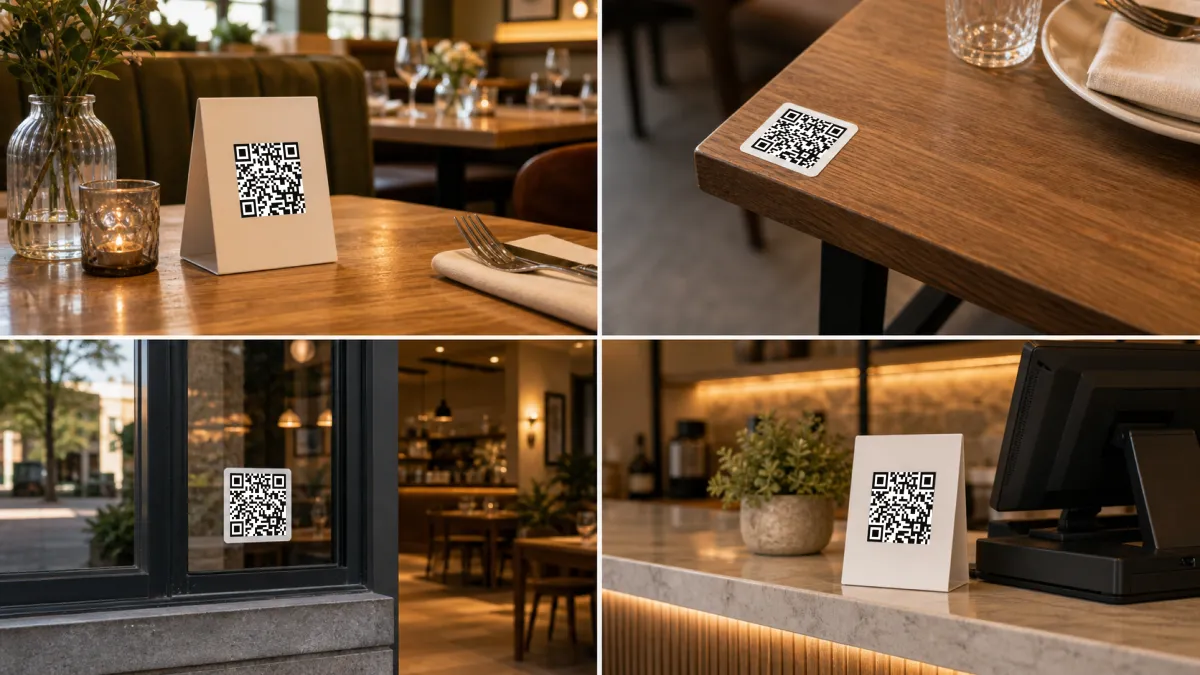
Good placements:
- table tent at seated eye level;
- small table sticker near the edge, not under plates;
- counter card for cafes and quick service;
- window decal for guests deciding outside;
- receipt or check folder for reorder or payment flows;
- Google Business Profile and Instagram bio as regular links.
Bad placements:
- only on the back of a printed menu;
- too close to a table edge where it gets covered;
- on glossy material that reflects light;
- on a patterned background;
- too small to scan from a seated position.
Step 7: Give staff one simple line
QR menus should not make service colder. Staff should introduce them naturally:
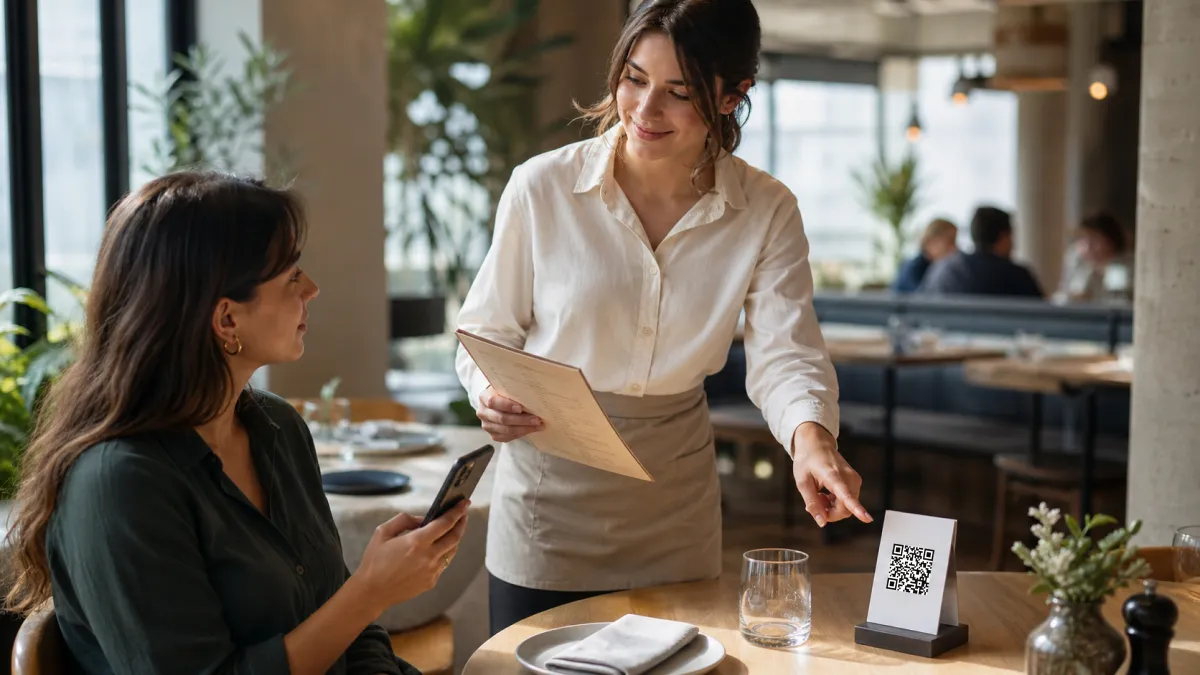
The full menu with photos and translations is on the QR code here, and we also have a paper menu if you prefer.
That sentence does three things. It explains the benefit, points to the table code, and protects guests who prefer paper.
Step 8: Test during real service
Do not test only at the counter on staff Wi-Fi. Test where guests sit, during lunch or dinner, on an older phone and a newer phone. Check:
- scan speed;
- page load speed on mobile data;
- brightness and glare;
- category navigation;
- language switching;
- item readability;
- whether staff can explain it in one sentence.
If guests need instructions after scanning, the menu needs work.
The honest counterpoint: QR menus should not replace hospitality
There is real backlash against bad QR menus, and restaurants should take it seriously. Some diners dislike using phones at the table. Some older guests struggle with scanning. Some full-service restaurants damage the experience when they force guests to order, pay, tip, and leave through a screen with no human contact.
The lesson is not "avoid QR menus." The lesson is "do not make QR menus rude."
A good 2026 QR menu follows four rules:
- Make it optional. Paper should be available on request.
- Make it fast. Slow QR menus feel worse than paper.
- Make it useful. Photos, translations, allergens, and live availability justify the scan.
- Keep staff visible. The QR menu should support service, not replace basic hospitality.
This is the difference between a restaurant that uses technology well and a restaurant that makes guests do unpaid admin work.
Why QR menus matter especially in Thailand
Thailand is a strong market for QR menus because the behavior already exists.
DataReportal's Digital 2026 Thailand report estimates 67.8 million internet users in Thailand and 96.6 million mobile connections in late 2025. Mobile internet is not a niche behavior; it is the default surface for daily life.
PromptPay and QR payments have also trained people to scan. Mastercard and National ITMX reported that PromptPay had more than 81 million registrations by the end of March 2025, with 2.1 billion transactions worth more than 4.43 trillion baht in that month alone. For restaurants, that matters because a guest who already scans to pay does not need a long explanation to scan a menu.
Tourism adds another layer. Thailand's 2026 tourism strategy continues to focus on high-value travel, confidence, and better visitor experience. Restaurants are part of that experience. A multilingual QR menu helps a small restaurant feel easier, clearer, and more international without hiring a translator for every shift.
For iMango's core customer, this is the practical opportunity:
- a small restaurant can publish a mobile menu without a developer;
- the menu can be available in Thai and English from day one;
- table QR codes can stay stable while the menu changes;
- tourists can understand dishes faster;
- staff can spend more time on service instead of translation;
- the owner can update the menu from the admin workspace.
That is a real business case, not a trend.
How iMango fits this shift
iMango is built for restaurants that want a clean QR menu without turning the whole operation into a software project. It centers on a digital restaurant menu guests can read and order from by number.
The product shape is intentionally simple:
- create a restaurant workspace;
- add categories and menu items;
- publish a stable public menu URL;
- generate QR codes for tables;
- update content when the menu changes;
- support Thai and English public experiences;
- keep the guest flow mobile-first and browser-based.
That matters because many restaurants do not need a complex POS integration on day one. They need the menu to be accurate, scannable, readable, and easy to maintain. A view-only or lightweight QR menu can be the right first step before adding more advanced ordering or payment workflows.
The best restaurant technology does not start by asking staff to change everything. It starts by removing the smallest recurring pain.
For many restaurants, that pain is the menu.
Final takeaway
QR menus are essential for modern restaurants in 2026 because they solve a real operational problem: menus change faster than paper can follow.
The restaurants that benefit most are not the ones that print a code and forget it. They are the ones that use the QR menu as a living service surface: updated, translated, mobile-friendly, and connected to the way guests actually choose food.
Keep paper available. Keep staff involved. But make the digital menu the source of truth.
That is how a QR menu becomes more than a table sticker. It becomes the restaurant's most useful sales page.
Try iMango free and create a mobile-first QR menu for your restaurant.
Frequently Asked Questions
Are QR menus still relevant in 2026?
Yes. QR menus are relevant in 2026 because they let restaurants update prices, availability, photos, translations, and item details without reprinting. They are most useful when they are mobile-first, fast, multilingual, and optional for guests who prefer paper.
What is the biggest benefit of a QR menu for restaurants?
The biggest benefit is menu control. A restaurant can edit items, hide sold-out dishes, update prices, add translations, and publish changes almost instantly while keeping the same printed QR code on the table.
Do guests prefer QR menus or paper menus?
It depends on the restaurant type and guest. Many guests like QR menus when they are fast and useful, especially in casual, tourist-heavy, or quick-service settings. Some full-service diners still prefer paper. The best approach is hybrid: make the QR menu excellent, but keep paper available on request.
What features should a modern restaurant QR menu include?
A modern QR menu should include a dynamic QR code, stable public URL, mobile-first pages, multilingual content, item photos, allergen and dietary notes, option groups, table QR management, simple analytics, and no app download requirement.
Is a PDF QR menu good enough?
A PDF QR menu is usually not good enough for a modern restaurant. PDFs are hard to read on small screens, difficult to update, poor for translations, and weak for analytics. A proper QR menu should be responsive and structured by categories, items, prices, options, and languages.
Why are QR menus useful for restaurants in Thailand?
QR menus fit Thailand because mobile internet use is high, QR payment behavior is common, and many restaurants serve international tourists. A multilingual QR menu helps guests understand dishes, prices, allergens, and options without waiting for staff translation.
Should a QR menu replace printed menus completely?
No. A QR menu can be the main source of truth, but restaurants should still offer printed menus on request. This protects accessibility, supports older guests, and keeps the service experience hospitable.
How do I start using a QR menu in my restaurant?
Start by cleaning your menu content, then build a mobile-first digital menu in a QR menu platform, add translations, generate a dynamic QR code, print clear table signage, train staff with one short explanation, and test the full guest experience on real phones.